Perplexity API Automation Tutorial: Search, Cited Answers, and Scheduled Workflows
Introduction
Your price monitor ran all weekend, checked a competitor page every hour, and reported nothing changed. On Monday you open the page yourself and the price moved on Friday. The monitor was not broken. It was answering from the model’s training data, not from the live web, so it confidently reported a price that stopped being true weeks ago. That is the failure mode this tutorial fixes: automations that sound certain about facts they never looked up.
Perplexity’s API puts live web search inside the call, so the same automation returns a current answer with sources you can open. This tutorial shows you how to get a key, make your first calls to the Search API and the Agent API, and turn them into a scheduled monitor that costs a few dollars a month.
Quick answer
Get an API key, call the Search API for ranked results or the Agent API for a cited answer, store the sources with every result, and schedule the calls with cron or n8n.
The hard part
The hard part is not the API call, it is deciding which API fits the job, because the Search API is cheap and returns raw results while the Agent API writes an answer and bills model tokens on top of the search fee.
Checked on 2026-11-18 against the Perplexity API pricing page and the Perplexity API quickstart. Interfaces change fast, so if a menu or label differs, trust the linked page.
Evidence
Perplexity rebuilt its developer surface in 2026, and the numbers on the pricing page tell you which API to reach for. The Search API costs $5.00 per 1,000 standard requests, or $1.00 per 1,000 with Fast Search, and it bills per request, not per token, so a monitoring job has a predictable bill. The Agent API bills model tokens plus a tool fee: a standard web_search invocation costs $0.0025, Fast Search costs $0.001, and fetch_url costs $0.0005. Perplexity’s own worked example puts a single Agent API web search at $0.0059 in total, using 500 input tokens, 200 output tokens, and one search.
The migration matters too. Sonar Chat Completions support ended on September 27, 2026, and Perplexity now recommends the Agent API for all new projects. The old Sonar models map to Agent API effort levels: Sonar and Sonar Pro map to fast, Sonar Reasoning Pro maps to low, and Sonar Deep Research maps to high, with xhigh above them for the deepest research.
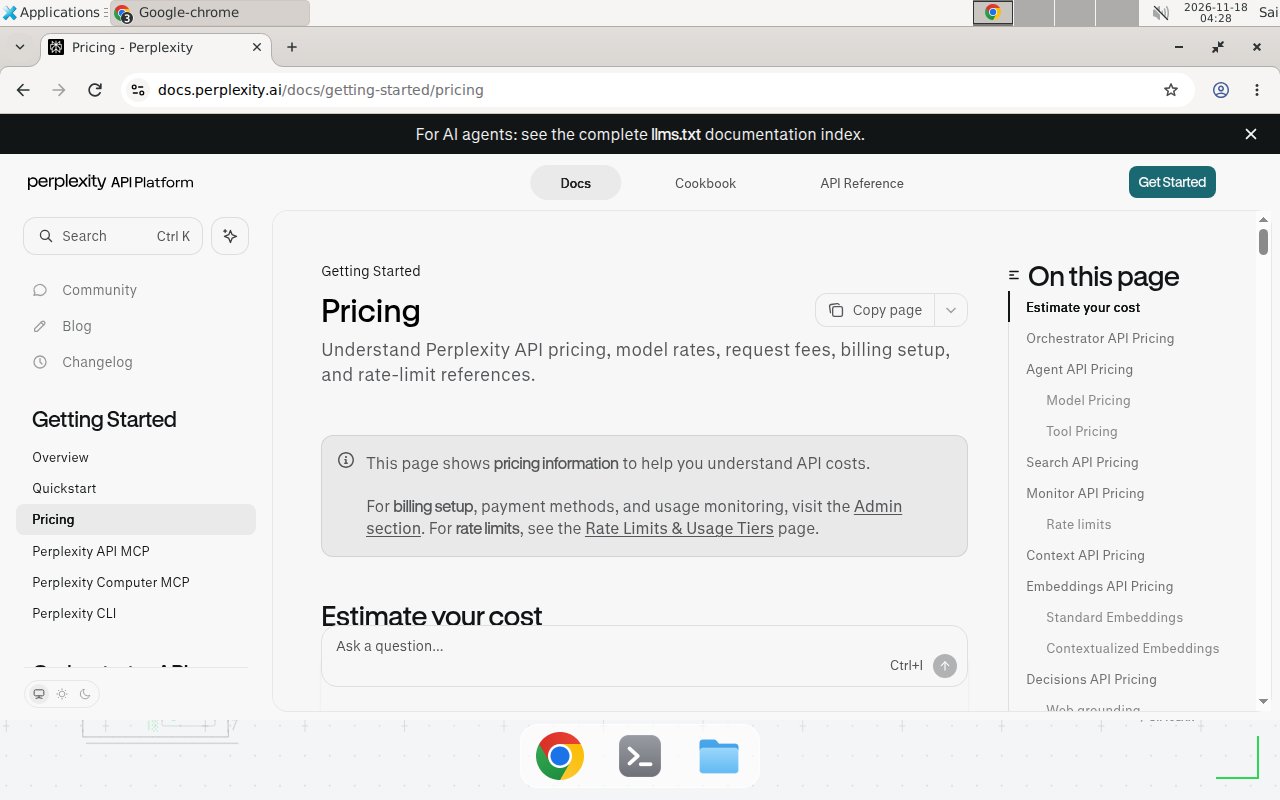
The Perplexity API pricing page (docs.perplexity.ai), checked on 2026-11-18: the cost estimator at the top and the Search API and Agent API rate tables below it are the source of the prices in this article.
Prerequisites
- A Perplexity account with billing enabled and an API key. The API is billed separately from any consumer subscription.
curland Python 3.10 or newer on the machine that runs the automation.- A place to store the key outside your code, such as an environment variable or a secrets manager. Never hardcode it.
- Basic comfort reading JSON. The Search API returns ranked results as JSON, and the Agent API returns a response object with text, citations, and usage cost.
Step 1: Create an API key
Sign in to Perplexity, open your account settings, and create an API key in the API section. Copy it once and store it as an environment variable on the machine that runs your automations:
export PPLX_API_KEY="pplx-your-key-here"
Example, replace with your values: the key above is a placeholder, not a real key. Keep the real key out of shell history on shared machines by putting it in a file only your user can read, for example ~/.config/perplexity.env with chmod 600, and sourcing that file instead.
Step 2: Make your first Search API call
The Search API is the cheapest way to automate Perplexity. It returns ranked web results as JSON with the page text extracted into each result’s snippet. There is no model, no generated answer, and no token billing. One request can carry a query array of up to five queries and still bills as a single request, which is the cheapest way to check several pages at once.
curl -X POST https://api.perplexity.ai/search \
  -H "Authorization: Bearer $PPLX_API_KEY" \
  -H "Content-Type: application/json" \
  -d '{
    "query": ["Perplexity API pricing changes", "Perplexity Agent API release notes"],
    "max_results": 5
  }'
Each result carries an id, a title, a url, a snippet with extracted page text, and a date when the source publishes one. Save the url and the date with every result. The snippet is a summary of what the page said when Perplexity fetched it, and it is not a substitute for opening the page when a decision depends on the exact wording.
Step 3: Make your first Agent API call
The Agent API returns a written answer with citations, using a model you choose and an effort level that controls how much searching it does. The endpoint is POST https://api.perplexity.ai/v1/agent, and it accepts the Responses-style fields effort and input instead of the old Sonar model plus messages shape. Sonar model names still work as aliases on the Agent API, but new code should use effort levels.
curl -X POST https://api.perplexity.ai/v1/agent \
  -H "Authorization: Bearer $PPLX_API_KEY" \
  -H "Content-Type: application/json" \
  -d '{
    "model": "openai/gpt-5.6-terra",
    "effort": "low",
    "input": "What changed in Perplexity API pricing in the last 30 days? Cite each claim with its source URL.",
    "tools": [{"type": "web_search"}]
  }'
The response includes the generated text with inline citation markers, a search_results list with the sources, and a usage.cost.total_cost field that reports the calculated price of that request. Check that field on your first ten calls. It is the fastest way to learn what your prompts actually cost, and it catches the common surprise that a deep research effort level runs several searches per question.
Pick the effort level by the question, not by habit. Use fast for single-fact lookups, low for multi-hop browsing across many sources, and high for expert-level research. The pricing page’s low-effort example, one web search plus one fetch on a small model, totals $0.0022, so the difference between effort levels is real money at volume.
Step 4: Turn the calls into a daily monitor
A single call is a demo. A monitor is a script with a schedule, a store, and a rule for what counts as a change. The script below checks a list of competitor pages through the Search API, compares the top result titles with yesterday’s run, and appends only changes to a log file.
import json, os, requests
from datetime import date

API_KEY = os.environ["PPLX_API_KEY"]
QUERIES = [
    "Example competitor pricing page",  # Example, replace with your values
    "Example competitor changelog",     # Example, replace with your values
]
STATE_FILE = "perplexity_monitor_state.json"
LOG_FILE = "perplexity_monitor_log.jsonl"

def search(queries):
    resp = requests.post(
        "https://api.perplexity.ai/search",
        headers={"Authorization": f"Bearer {API_KEY}"},
        json={"query": queries, "max_results": 3},
        timeout=60,
    )
    resp.raise_for_status()
    return resp.json()

def main():
    data = search(QUERIES)
    titles = [r.get("title") for r in data.get("results", [])]
    urls = [r.get("url") for r in data.get("results", [])]
    try:
        previous = json.load(open(STATE_FILE)).get("titles", [])
    except FileNotFoundError:
        previous = []
    changed = [t for t in titles if t not in previous]
    if changed:
        with open(LOG_FILE, "a") as f:
            f.write(json.dumps({
                "date": str(date.today()),
                "changed_titles": changed,
                "urls": urls,
            }) + "\n")
    json.dump({"titles": titles, "urls": urls}, open(STATE_FILE, "w"))

if __name__ == "__main__":
    main()
Schedule it with cron so it runs once a day. The example below runs at 08:00 every morning and writes errors to a log you can check:
0 8 * * * cd /home/you/perplexity-monitor && PPLX_API_KEY="$(cat ~/.config/perplexity.key)" python3 monitor.py >> monitor.log 2>&1
Example, replace with your values: the path and the key file above are placeholders for your own locations. Keep the state file next to the script so a re-run compares against the last successful fetch. If the API call fails, the script raises an exception before writing state, so a failed run never looks like “nothing changed.”
Step 5: Wire the same calls into n8n
If your automation already lives in n8n, use an HTTP Request node instead of a Python script. Create a credential of type Header Auth with the name Authorization and the value Bearer {{$env.PPLX_API_KEY}}, then point the node at https://api.perplexity.ai/search with a POST body matching Step 2. A Schedule Trigger node at 08:00 daily replaces the cron line, and an IF node that compares the current top title with the value stored in a Set node or a database replaces the state file.
Our n8n Perplexity node v3 migration guide covers the same move from the n8n side: it maps the old Perplexity node to the Agent API and shows where the effort level replaces the old model picker. If your workflow still calls the old Sonar endpoint, migrate it now, because asynchronous Sonar requests are no longer supported and will fail instead of degrading gracefully. For the broader n8n setup this workflow plugs into, see the complete n8n guide.
Copy-paste template: a weekly cited brief
The script above watches for changes. The template below turns those changes into something a human reads: a weekly brief built with one Agent API call per changed topic. Save it as brief_prompt.txt and feed it the changed titles from the monitor log.
You are writing a weekly competitor brief for a small team.
Use only the search results provided. For each changed item:
1. State what changed in one sentence.
2. Quote the source page title and URL.
3. Say whether the change affects our pricing, our docs, or neither.
Do not add facts that are not in the search results.
If a source is older than 30 days, flag it as stale.
Keep the whole brief under 300 words.
Pair it with one Agent API call per week, at low effort, with the changed titles pasted into the input field and the web_search tool enabled. One call a week costs about $0.02 a month at the documented rates, and it turns a raw change log into a decision a teammate can act on without opening ten tabs.
When not to use this / Limits
Do not use the Perplexity API as your only source for a decision that needs a primary document, such as a contract term, a safety threshold, or a regulatory deadline. The API returns what the web says, and the web repeats mistakes. Open the source page for anything with legal or financial consequences.
Do not use the Agent API for high-volume classification where a cheaper model with no search would do, because every call pays for a search plus model tokens. The Search API is also the wrong tool for private data: it searches the public web, so it cannot answer questions about your internal wiki. For that, pair retrieval over your own documents with a plain model call, as our OpenAI Agents API tutorial demonstrates.
Cost / scale math
Billing is the part most tutorials skip, and it is where small automations quietly grow. The pricing page gives the rates, and the arithmetic below uses them directly.
| Workload | Calculation | Monthly cost |
|---|---|---|
| Daily monitor, 10 queries, standard Search API | 300 requests x $5.00 / 1,000 | $1.50 |
| Daily monitor, 10 queries, Fast Search | 300 requests x $1.00 / 1,000 | $0.30 |
| Daily cited brief, 1 Agent API call | 30 calls x $0.0059 per call | $0.18 |
| Weekly brief, 4 Agent API calls at low effort | 4 calls x $0.0022 per call | $0.01 |
| 10,000 standard Search API requests | 10,000 / 1,000 x $5.00 | $50.00 |
The assumptions: one Search API request carries up to five queries in its query array and bills as one request, so batch your queries. We could not verify the exact cost of a high-effort research call; vendor docs say it varies with the model and the number of searches the effort level triggers, so check usage.cost.total_cost on the first week of calls and adjust the budget before scaling to hourly runs.
Troubleshooting
| Symptom | Likely cause | Command to check | Fix |
|---|---|---|---|
| HTTP 401 on every call | Missing or revoked key, or the Bearer prefix is wrong | curl -s -o /dev/null -w "%{http_code}" -H "Authorization: Bearer $PPLX_API_KEY" https://api.perplexity.ai/search -d '{"query":["test"]}' | Create a new key in account settings, export it again, and confirm the header reads Bearer plus the key with one space |
| HTTP 429 rate limit | Too many requests for your usage tier | Check the Retry-After header in the 429 response | Back off, retry after the header’s delay, and spread batch queries across the query array instead of sending them one by one |
Search returns results but no date | The source page publishes no date, or Perplexity could not extract one | Open the result url in a browser | Treat undated results as unverified for time-sensitive claims and prefer sources that carry a visible date |
| Old Sonar code returns 404 or empty async results | Asynchronous Sonar requests are no longer supported after the September 27, 2026 sunset | curl -s https://docs.perplexity.ai/docs/agent-api/migrate-from-sonar/overview | Migrate to the Agent API: use client.responses.create with effort and input, or the /v1/agent endpoint, and move async work to background mode |
| Agent API answer has no citations | The prompt did not ask for citations, or the tool was not enabled | Inspect the request body for a tools array with web_search | Add {"type": "web_search"} to tools and ask for source URLs in the prompt, then check the search_results field in the response |
Common mistakes
- Calling the Sonar endpoint in new code. Sonar Chat Completions support ended on September 27, 2026. New automations should use the Agent API or the Search API, and old ones need the migration in the official migration guide.
- Sending one query per request. A Search API request bills per request and accepts up to five queries in one
queryarray. Five separate calls cost five times as much for the same answers. - Trusting the snippet instead of the source. The snippet is extracted page text, and pages change. Open the URL before quoting a number in a customer-facing doc.
- Storing the key in the workflow. Keys pasted into an n8n workflow, a shared doc, or a git repo leak. Keep the key in an environment variable or a credential store and reference it, never paste it.
Test before you rely on it
Run this checklist before the monitor goes live, and re-run it after any change to the queries or the schedule:
- Send one Search API call and one Agent API call by hand, and confirm both return HTTP 200 with real results.
- Confirm the
usage.cost.total_coston the Agent API call matches your budget for the planned volume. - Run the monitor script twice in a row and confirm the second run logs no changes, which proves the state file works.
- Break the key on purpose in a test run, using a wrong value, and confirm the script fails loudly instead of writing an empty state file.
- Open two result URLs from the log in a browser and confirm the pages match what the snippets claimed.
- Confirm the alert path works: trigger a known change, such as adding a query you know will return a new title, and check the log entry appears.
FAQ
The FAQ entries in the front matter cover subscriptions, the Sonar sunset, API choice, cost, citations, and leaked keys. Read them before you build, because the subscription question is the one support teams answer most: the API is billed separately from Pro, and neither one includes the other.
Conclusion
A Perplexity automation is worth building when its answers come with sources you can open and a bill you can predict. Start with the Search API for monitoring, add the Agent API when you need a written brief, and keep the effort level matched to the question so you are not paying research prices for a fact lookup.
If this monitor runs at 3 a.m. and flags a competitor price change, can your team see the source URL and the date without waking anyone up? If not, add the log file and the weekly brief first. Next, read our n8n Perplexity node v3 migration guide to move any older Perplexity workflow onto the Agent API.
Frequently asked questions
Is the Perplexity API the same as a Perplexity Pro subscription?
No. A Pro subscription covers the Perplexity app and website, while the API is billed separately by usage. API calls charge per token and per tool invocation, so a Pro subscription does not give you free API calls and an API key does not unlock Pro features in the app.
Should new projects still use the Sonar Chat Completions API?
No. Perplexity ended support for Sonar Chat Completions on September 27, 2026, and recommends the Agent API for all new projects. Synchronous and streaming Sonar requests are being reformulated as Agent API requests, but asynchronous Sonar requests are no longer supported, so build new automations directly on the Agent API or the Search API.
Which Perplexity API should I use for monitoring: Search API or Agent API?
Use the Search API when you only need ranked results and snippets, such as watching a competitor page or a changelog. Use the Agent API when you need a written answer with citations, such as a daily brief. Search API calls are cheaper per call, while Agent API calls add model tokens on top of the search fee.
How much does a daily monitoring automation cost?
Very little at small scale. Ten standard Search API queries a day is 300 requests a month, which costs $1.50 at $5 per 1,000 requests. Fast Search drops that to $0.30. One cited Agent API brief a day costs roughly $0.18 a month at the documented $0.0059 per query, so a small monitor usually stays under $5 a month.
Do Perplexity API answers include citations I can check?
Yes. Agent API responses return search results with titles, URLs, and snippets alongside the generated text, and the text carries inline citation markers that map to those results. Save the result IDs and URLs with every answer so a later audit can re-open the exact source page.
What happens when my API key leaks?
Anyone with the key can spend your balance, so treat a leak as urgent. Revoke the key in your Perplexity account settings, create a replacement, update the secret in your automation, and check the usage page for calls you did not make. Never commit a key to git or paste it into a shared chat.