Make.com Scenario Inputs Tutorial: Build a Reusable Customer-Data Cleaning Subscenario
Introduction
You have copied the same five modules into six Make scenarios: trim the whitespace, lowercase the email, split the full name, check the country code, reject the row if the email is malformed. Then the sales team asks for one more cleaning rule, and you open six scenarios to paste it six times. The seventh copy is where the typo lands, and one scenario starts rejecting valid customers while the others do not. This tutorial is for Make users who repeat the same logic across scenarios. You will build one reusable customer-data cleaning subscenario with typed scenario inputs, call it from a parent scenario, and get a structured result back.
Quick answer
Define typed scenario inputs on a subscenario, start it with the Scenarios > Start scenario module, call it from any parent with Scenarios > Call a scenario, and return the cleaned record with Scenarios > Return output.
The hard part
The hard part is the input contract, not the cleaning logic: naming, typing, and validating the inputs so every parent sends the same shape, instead of debugging six slightly different copies of one scenario.
Checked on
Checked on 2026-11-15 against Make’s scenario inputs and outputs help page and Make’s subscenarios help page. Interfaces change fast, if a menu or label differs, trust the linked page.
Evidence
Scenario inputs are Make’s answer to a problem every operator eventually hits: the same logic rebuilt in scenario after scenario. Make’s own help page states the idea plainly: “Scenario inputs define what data a scenario receives when triggered.” The same page adds that inputs and outputs “define the information that scenarios expect and share when communicating with other scenarios or external systems”, and that they work the same way whether the caller is a parent scenario, an AI agent, or an MCP client.
The subscenarios page gives the design rule in one sentence: “Pass a clearly defined structure of inputs and outputs between scenarios.” Its worked example is close to the one in this tutorial: send a customer’s email as an input to a subscenario, check whether they are already registered, then return a status as an output that the parent uses to decide whether to send a welcome email.
Two numbers set the budget for this pattern. Make’s Free plan includes 1,000 credits per month, and the Core plan starts at $9 per month (annual billing, $10.59 monthly) with 10,000 credits included. Make renamed operations to credits on August 27, 2025, converting them one to one, so one module execution still costs one credit for most non-AI apps. Those figures come from Make’s pricing page, checked November 2026.
Prerequisites
- A Make account on any plan that shows the Scenario inputs and outputs panel. We could not verify which current plans include scenario inputs; Make’s help pages list no plan restriction, while a 2024 community reply mentioned Pro. Check your plan’s feature list before building on it.
- One parent scenario that already receives customer records, for example a form submission, a new CRM row, or a webhook.
- A test customer record you are allowed to use. Example values below are labelled “Example, replace with your values”.
- Basic comfort with the Make scenario builder: adding modules, mapping fields, running a scenario once.
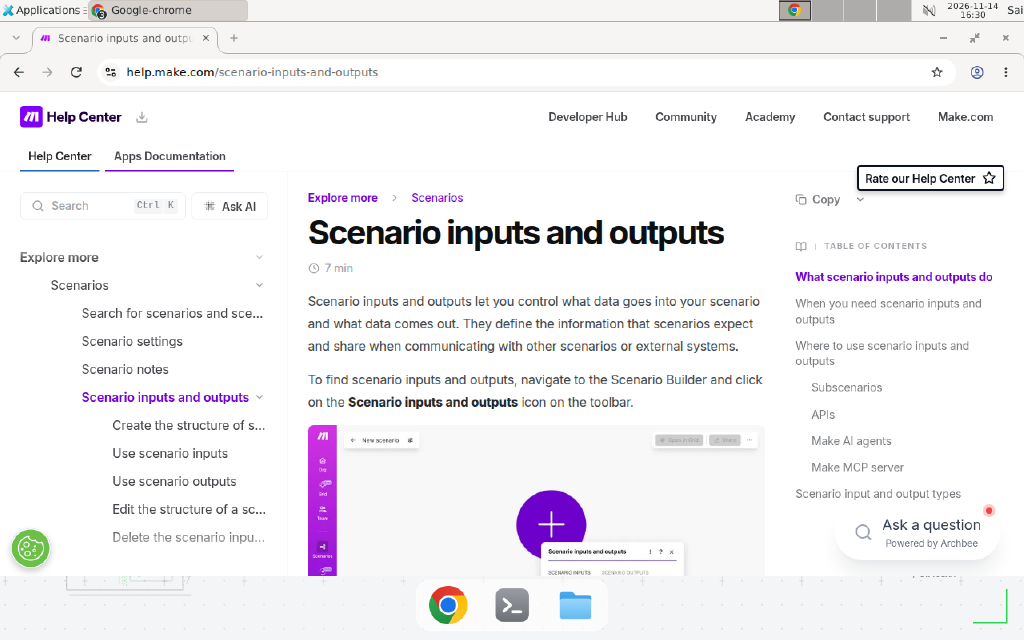
Make’s “Scenario inputs and outputs” help page, checked 2026-11-15. The page defines the feature and points to the Scenario inputs and outputs icon in the Scenario Builder toolbar.
Step 1: Create the subscenario and define its inputs
Create a new scenario and name it Clean customer record. Open the Scenario inputs and outputs panel from the toolbar icon in the Scenario Builder, select the Scenario inputs tab, and click Add item. Define four inputs for the cleaning job:
| Input name | Type | Required | Default | Purpose |
|---|---|---|---|---|
full_name | Text | Yes | none | Raw name as typed by the customer |
email | Text | Yes | none | Raw email address |
country_code | Text | No | US | Two-letter country code, Example, replace with your values |
tags | Array of Text | No | none | Free-form tags from the source form |
The name rules come straight from Make’s documentation: the Name field is mandatory, you cannot use spaces or special characters, only letters, numbers, and the underscore symbol, and you cannot start with a number or an underscore followed by a number. Add a short description to each input, for example “Customer name exactly as submitted, before trimming and casing fixes”, so the next person who calls this subscenario knows what to send.
The type you pick is a contract, not a label. For a Collection input you can write a Specification that describes the expected fields, and Make validates the input data against it; leave the Specification empty and Make accepts any collection. For a Select input, add the allowed options in the Options field. A Dynamic collection input accepts a mapped collection or a JSON string, which the Return output module parses into output bundles. Click Save in the Scenario inputs box and save the scenario.
Step 2: Start the subscenario with the Start scenario module
Add the Scenarios > Start scenario module as the first module of the subscenario. This module is the entry point: when a parent calls the subscenario, Make wakes it here and passes the input values in. Map the declared inputs from this module into the cleaning steps that follow, exactly as you would map any other module’s output.
Set the subscenario’s scheduling to On demand. A scenario that waits for a parent call cannot also run on a timer, because it has no trigger of its own. If the subscenario is inactive or scheduled any other way, the parent’s call fails.
Step 3: Build the cleaning logic once
Inside the subscenario, clean the record with ordinary Make modules. A minimal version needs three steps:
- Trim and normalize the name: use a Set variable or Text parser module to trim whitespace from
full_nameand convert it to title case. - Normalize the email: lowercase
emailand trim it. Add a filter after this step that stops the bundle when the email does not contain@, so malformed rows never reach the output. - Normalize the country code: uppercase
country_codeand fall back to the defaultUSwhen it arrives empty. The default value you set in Step 1 already handles the missing case, so this step only fixes casing.
Keep the logic boring and explicit. The subscenario is a shared function now, so every shortcut you add here runs in every parent that calls it. A filter that silently drops a bundle is a decision, not a detail: if the parent needs to know a record was rejected, return a status field instead of dropping it, and let the parent decide. If the cleaning needs a small piece of code rather than modules, the same reuse idea applies to reusable JavaScript custom functions in Make, though those are an Enterprise feature.
Step 4: Return a structured output
Open the Scenario inputs and outputs panel again, select the Scenario outputs tab, and declare the outputs the parent will receive:
| Output name | Type | Purpose |
|---|---|---|
clean_name | Text | Trimmed, title-cased name |
clean_email | Text | Lowercased, trimmed email |
country | Text | Uppercased country code |
is_valid | Text | yes or no, whether the record passed validation |
rejection_reason | Text | Empty when valid, otherwise the reason, Example, replace with your values |
Add the Scenarios > Return output module as the last module of the subscenario and map the cleaned values into these outputs. The parent receives them as one output bundle per call.
Step 5: Call the subscenario from the parent
In the parent scenario, add the Scenarios > Call a scenario module where the cleaning should happen. Pick the Clean customer record subscenario from the dropdown. The module’s input fields populate from the inputs you declared, so map the parent’s raw fields into full_name, email, country_code, and tags exactly like any other mapping.
Choose the calling mode before you run it. In synchronous mode the parent pauses until the subscenario finishes and returns its outputs, which is what you want when the parent’s next step depends on the cleaned record. In asynchronous mode the parent fires the subscenario and continues immediately without waiting, which fits fire-and-forget jobs such as logging or enrichment that nothing downstream depends on. The mode is a property of the call, not of the subscenario, so the same subscenario can serve a synchronous parent and an asynchronous one.
flowchart LR
    P[Parent scenario<br/>raw customer record] --> C[Scenarios > Call a scenario<br/>maps full_name, email, country_code, tags]
    C --> S[Subscenario: Start scenario<br/>receives typed inputs]
    S --> CL[Clean: trim, lowercase,<br/>uppercase, validate]
    CL --> R[Scenarios > Return output<br/>clean_name, clean_email, is_valid]
    R --> P2[Parent resumes<br/>uses cleaned record]
Copy-paste template: the subscenario input contract
Copy this contract into your team’s runbook before you build the subscenario. It keeps every parent honest.
Subscenario: Clean customer record
Owner: Example, replace with your values
Version: 1.0 — 2026-11-15

INPUTS (all names use letters, numbers, underscores only)
  full_name     Text            Required  No default
  email         Text            Required  No default
  country_code  Text            Optional  Default "US"
  tags          Array of Text   Optional  No default

OUTPUTS
  clean_name        Text   Trimmed, title-cased name
  clean_email       Text   Lowercased, trimmed email
  country           Text   Uppercased country code
  is_valid          Text   "yes" or "no"
  rejection_reason  Text   Empty when valid

RULES
  1. Callers send raw values only. Never pre-clean in the parent.
  2. A missing required input fails the call. A missing optional
     input uses its default value.
  3. Collection inputs are validated against their Specification.
  4. Renaming an input is a breaking change: update every parent's
     Call a scenario module in the same change.
  5. The subscenario stays On demand. It never runs on a schedule.
When not to use this / Limits
Do not reach for subscenarios when the logic runs in exactly one place: a plain scenario with the same modules is simpler and one less moving part. Do not use them as a cross-team integration: you can only call a scenario created in your team, so a call to another team’s scenario needs the Make > Run a scenario module or a webhook instead. If you are still choosing a platform, our n8n vs Make comparison for AI agents covers where each one wins. Synchronous calls add latency to the parent, because the parent waits, so keep synchronous subscenarios short and move long work to asynchronous calls. Finally, a subscenario is not a versioned API: renaming an input or changing its type can break every parent, so treat the contract above as a real interface and change it deliberately.
Cost and scale math
Count one credit per module execution, the conservative case. The parent in this tutorial has 3 modules (trigger, Call a scenario, CRM create) and the subscenario has 4 (Start scenario, clean, filter, Return output), so each customer record costs 7 credits.
| Records per day | Credits per day | Credits per month (30 days) | Plan math |
|---|---|---|---|
| 40 | 280 | 8,400 | Fits Core, $9/month annual billing |
| 100 | 700 | 21,000 | Core 10,000 plus one 10,000-credit pack at about $9, about $18/month |
| 500 | 3,500 | 105,000 | Needs a larger credit bundle; check the pricing page before committing |
Assumptions: one bundle per record, no retries, no AI modules (AI-native modules bill at variable rates by token count or file size). We could not verify whether the Call a scenario and Start scenario modules themselves consume credits; Make’s docs do not state it, and one independent guide reports the handoff itself is free. The table counts them, so real usage may come in lower.
Troubleshooting
| Symptom | Likely cause | Command to check | Fix |
|---|---|---|---|
| Parent call fails immediately with a mapping error | The subscenario’s inputs changed after the parent was built | Open the Call a scenario module and compare its fields with the subscenario’s Scenario inputs tab | Reopen the module and confirm the fields re-synced; Make states updates apply automatically, but verify the mapping before the next run |
| Subscenario never runs when called | The subscenario is inactive or not scheduled On demand | Check the subscenario’s scheduling toggle and active state | Set scheduling to On demand and activate the scenario |
| Parent receives empty outputs | The Return output module is missing or its fields are unmapped | Open the subscenario and confirm Return output is the last module with all outputs mapped | Add or re-map the Return output module and save |
| Collection input rejected | The parent sent a shape that does not match the Specification | Run the parent once and inspect the failing bundle’s input in the execution log | Fix the parent’s mapping, or loosen the Specification to match the real data |
| Parent hangs waiting for the subscenario | Synchronous call to a subscenario that waits on a slow external app | Check the subscenario’s execution log for the slow module | Switch the call to asynchronous, or move the slow step out of the synchronous path |
Common mistakes
- Pre-cleaning in the parent. Trimming the email in the parent and again in the subscenario creates two sources of truth. Send raw values and let the subscenario own all cleaning.
- Renaming an input without updating parents. The parent’s mapping still references the old name, and the call fails. Treat renames as breaking changes and update every caller in the same session.
- Dropping bad records silently. A filter that stops the bundle leaves the parent waiting on outputs that never arrive in synchronous mode. Return
is_valid: nowith a reason instead, and let the parent route the record.
Test before you rely on it
Run this checklist with real-shaped test data before the parent goes live:
- Run the subscenario alone with Run once and fill in each required input by hand. Confirm the cleaned outputs look right.
- Call it from the parent with a valid record and confirm the CRM receives the cleaned values.
- Call it with a malformed email and confirm the parent receives
is_valid: noand the rejection reason. - Call it with
country_codemissing and confirm the defaultUSis applied. - Send one deliberately wrong Collection payload and record the exact error text, so the on-call person recognizes it at 3 a.m.
FAQ
Can I use scenario inputs without subscenarios?
Yes. The same inputs work when a scenario is triggered by an API call, an AI agent, or the Make MCP server. The subscenario pattern is the most common use, but the contract idea applies to any caller. Our Make MCP server tutorial shows how an MCP client can call a scenario the same way a parent does.
What types can scenario inputs have?
Text, Number, Boolean, Date, Array, Collection, Select, JSON, Dynamic collection, Email, URL, Integer, and Uinteger, according to Make’s help page. Array inputs take a nested item type, and Collection inputs take a Specification that Make validates against.
Is there a limit on how many inputs a scenario can have?
Make’s documentation lists no numeric limit. In practice, keep the list short: if a subscenario needs more than eight inputs, it is probably doing two jobs and should be split.
How do I debug a subscenario that a parent calls?
Open the subscenario’s execution history and find the run with the same timestamp as the parent’s call. The Start scenario module shows exactly what the parent sent, which settles most “the parent sent the wrong thing” arguments in one look.
Conclusion
Scenario inputs turn a Make scenario into a function with a signature: typed inputs in, structured outputs out, one place to fix the logic. Build the cleaning subscenario once, write the contract down, and let every parent call it instead of copying it. If this flow fails at 3 a.m., can your team see which input the parent sent and which output came back? If not, add the contract to the runbook and the rejection reason to the output first. Next, read our guide on preventing duplicate records when a Make scenario reruns, which pairs well with this pattern: clean the record in a subscenario, then make the write idempotent.
Frequently asked questions
What are scenario inputs in Make?
Scenario inputs define what data a scenario receives when triggered. You declare each input with a name, a data type, an optional default value, and a required flag. A parent scenario passes values into those inputs through the Scenarios > Call a scenario module, and the subscenario reads them from its Scenarios > Start scenario module.
Do I need a webhook to pass data between Make scenarios?
No. The Scenarios app replaces the webhook for same-team calls: Call a scenario in the parent, Start scenario in the subscenario, and Return output to send results back. Webhooks are still the route for cross-team or cross-organization calls, or when an outside system triggers the scenario.
Can a subscenario run on a schedule?
No. A scenario that waits for a parent call must be scheduled On demand, because it has no trigger of its own. If you need the same logic on a timer, keep the cleaning logic in the subscenario and call it from a scheduled parent scenario.
What happens if the parent sends data that does not match the input specification?
Make validates the input data against the specification you defined for Collection inputs. We could not verify the exact error text Make returns on a validation failure; vendor docs say only that Make validates the input against the specification. Send one deliberately bad payload in a test run and watch the execution log before you rely on validation in production.
Do scenario inputs cost extra Make credits?
Inputs themselves cost nothing. You pay one credit per module execution, the same as any other module. One independent guide reports the handoff itself consumes no credits, but Make's docs do not state that, so count every module at one credit when you budget.
Can I change a subscenario's inputs after the parent is built?
Yes. Make states that updates to a subscenario's inputs and outputs automatically apply to all scenarios using it. Still, reopen the Call a scenario module and check the mapping before the next production run, since a renamed input is a breaking change in practice.