How to Build a Multi-Model LLM Judge in Make.com
Introduction
You ask three AI models the same question and get three different answers: one thorough but wordy, one short but missing an edge case, one confidently wrong. You wanted a comparison and got a new job instead, reading three answers and deciding which to trust, every time.
A multi-model LLM judge fixes that. One scenario sends your prompt to three models, collects the three answers, and hands them to a fourth model that scores each one against a rubric and returns a ranked verdict. The build trips up almost everyone who tries it in Make.com, because the obvious design, a Router that fans out to three models and merges back into Gemini, does not work the way people expect. This tutorial builds the two patterns that actually work, and explains why the obvious one fails.
Quick answer
Send one prompt to three models, collect the answers, and let Gemini judge them. Run the models in one chain, or use Set Variables on each route and Get Variables on the last. The judge returns a winner with reasons.
The hard part is not calling the models, it is getting three separate answers into one module, because a Make module accepts a single incoming stream and Router routes never merge back on their own.
Checked on 2026-11-17 against the Make Help Center Router page, the Make Help Center Aggregator page, and the Make Help Center Scenario Variables page. Interfaces change fast, so if a menu or label differs, trust the linked page.
Evidence
The judge pattern is not a guess. In the Mixture-of-Agents paper (Wang et al., 2024), a panel of several models with an aggregator model on top scored a 65.1% length-controlled win rate on AlpacaEval 2.0, against 57.5% for a single GPT-4o answering alone, a gap of almost 8 points. Read the paper at Mixture-of-Agents on arXiv.
The need is real and current. On September 16, 2026, a Make user posted exactly this problem to the Make community thread about aggregating three parallel AI outputs into a Gemini judge: a webhook trigger, a Router fanning out to DeepSeek, Claude, and OpenAI, and a final Gemini module that was supposed to judge all three. The thread drew 19 replies and a solved mark, and its accepted answers are the two patterns below.
The key fact comes straight from Make’s own documentation. The Make Help Center Router page states: “Routes are processed sequentially, not in parallel. Make won’t process the second route unless it finishes processing the first one.” That one sentence kills the “parallel fan-out” mental model and explains every failure below. The other number that matters is pricing: Make’s Free plan includes 1,000 credits a month, and Core costs $9 a month billed yearly for 10,000 credits, as of October 2026.
Prerequisites
- A Make.com account. The Free plan works for testing, with 1,000 credits a month.
- API connections for the panel and the judge: DeepSeek, Anthropic Claude, and OpenAI as the panel, Google Gemini as the judge, matching the community thread. Create each connection under Connections before you build.
- A webhook URL you can call with curl, and a test prompt with a known correct answer so you can check the verdict.
Step-by-step guide
Step 1. Create the webhook trigger
Create a new scenario. Add a Webhooks > Custom Webhook trigger and name it judge-request. Click Add, give the hook a name, and copy the URL Make shows. The trigger accepts a JSON body with one field, prompt. Test it with curl:
curl -X POST https://hook.make.com/REPLACE_WITH_YOUR_HOOK_ID \
  -H "Content-Type: application/json" \
  -d '{"prompt": "Explain the difference between a Router and a filter in Make.com in 100 words."}'
Example, replace with your values. The trigger outputs one bundle carrying prompt, and every later module maps that same field.
Step 2. Choose your merge pattern before you build anything
You have two working options, and the choice decides the whole layout.
Pattern A, sequential chain (recommended). Put the three model modules one after another on a single route, then put the Gemini judge last. No Router at all. This is the pattern the community thread’s accepted answer recommends: “You don’t need the router here. Delete it and just run the three models one after the other.” It costs fewer credits and is the easiest to debug.
Pattern B, Router plus variables. Use this only if each model needs its own branch logic, for example different filters or error handlers per model. Each route ends with Tools > Set Variables, and a final route reads them back with Tools > Get Variables and calls the judge. It costs about 4 extra credits per run.
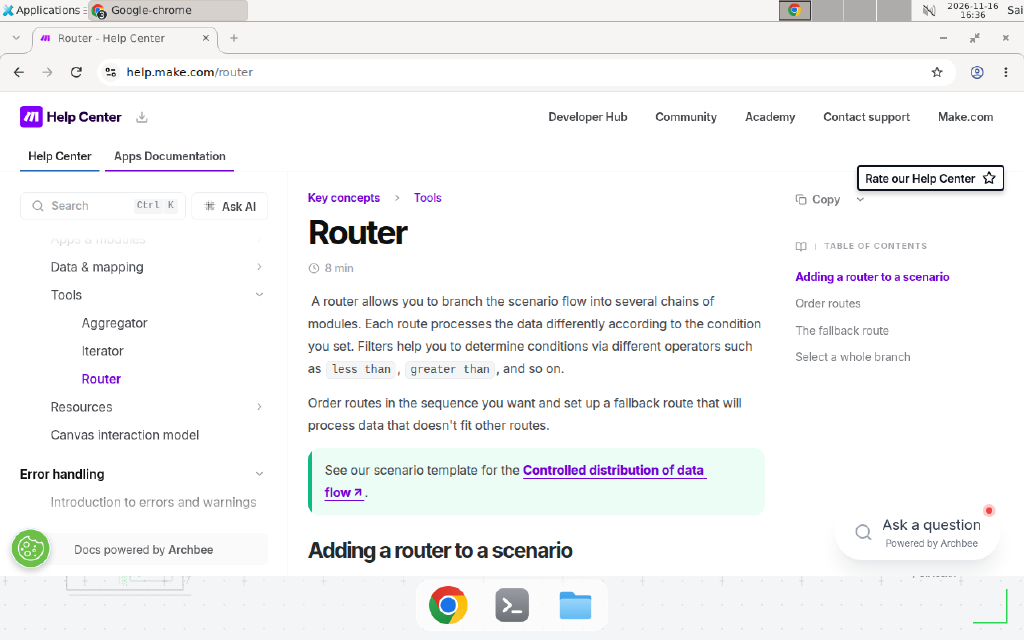
Make Help Center Router page, checked 2026-11-17.
Step 3. Build the sequential chain
Add the three panel modules in order, each mapping the same prompt field from the webhook trigger:
- DeepSeek AI > Create a Chat Completion. Pick your model, map the webhook
promptinto the message, and keep temperature at 0.2 so the candidates are comparable. - Anthropic Claude > Create a Prompt. Map the same
promptfield. Use the same temperature. - OpenAI > Create a Chat Completion. Same prompt, same temperature.
Keep the system prompt identical across all three, for example: “Answer accurately and concisely. If you are unsure, say so instead of guessing.” Different system prompts make the judge score prompts instead of models.
Step 4. Add the Gemini judge
Add Google Gemini AI as the last module and choose Generate a response. Older templates call this “Create a completion”, a label Gemini no longer uses, so switch if that action is missing. Map the judge prompt from the copy-paste template below, inserting the three panel outputs as labeled blocks: {{1.choices[].message.content}} for DeepSeek, labeled “Answer A, DeepSeek”, {{2.content}} for Claude, labeled “Answer B, Claude”, and {{3.choices[].message.content}} for OpenAI, labeled “Answer C, OpenAI”.
Labeling matters: without labels the judge cannot say which model won, and the verdict is useless for choosing a model later. Set the judge temperature to 0.1.
Step 5. Build the Router plus variables variant (only if you need branches)
If you need Pattern B, build it like this:
- Add a Router after the webhook. Add three routes, one per model, and leave every route filter empty so each bundle takes all three routes.
- On route 1, add DeepSeek, then Tools > Set Variables. Create one variable named
deepseek_answerwith the DeepSeek output as its value. Set Variable lifetime to One cycle. - On route 2, add Claude, then Tools > Set Variables with
claude_answer. - On route 3, add OpenAI, then Tools > Set Variables with
openai_answer. - Add a fourth route that runs last. It holds Tools > Get Variables, listing all three variable names, followed by the Gemini judge module. The Help Center Scenario Variables page states the rule: Get Variables can read variables set anywhere in the scenario, as long as the Set ran before it in time.
- Right-click the Router, choose Order routes, and make sure the Get Variables route is last. If you reorder routes later, re-check this, because a Get that runs before its Set returns empty.
Step 6. Run it and read the verdict
Send the test prompt from Step 1. Open the scenario History, click the run, and inspect each module. The judge output should show a winner, a score per criterion per answer, and one sentence of reasoning per answer. If it returns prose with no scores, tighten the rubric using the template. We could not verify this scenario end to end in a live Make account in our lab; vendor docs say the module names, the Router order rule, and the variable behavior above are current as of November 2026.
Copy-paste template
Paste this judge prompt into the Gemini module, replacing the bracketed blocks with the three mapped outputs.
You are an impartial judge comparing three answers to the same question.
Score each answer 1 to 5 on: accuracy, completeness, clarity, and
groundedness (does it avoid claims it cannot support). Do not reward
length. A short correct answer beats a long answer with one error.
Return JSON only, in this shape:
{"winner": "A", "scores": {"A": {"accuracy": 5, "completeness": 4,
"clarity": 5, "groundedness": 5}, "B": {...}, "C": {...}},
"reasoning": {"A": "one sentence", "B": "one sentence",
"C": "one sentence"}}
The question: {{1.prompt}}
Answer A, DeepSeek: {{deepseek output}}
Answer B, Claude: {{claude output}}
Answer C, OpenAI: {{openai output}}
Keep the variable names in a table taped to the scenario:
| Variable | Set on route | Holds |
|---|---|---|
deepseek_answer | Route 1 | DeepSeek completion text |
claude_answer | Route 2 | Claude completion text |
openai_answer | Route 3 | OpenAI completion text |
When not to use this / Limits
Skip the judge panel on latency-sensitive paths: four model calls take roughly four times as long as one, and Make runs Router routes sequentially too, so nothing hides that cost. Use a single fast model for live chat replies. Skip it for high-volume classification as well, where a rules check or one small model is cheaper and more predictable. Never send secrets or customer data through it, since the prompt reaches three or four providers at once, each under its own policy. Do not ask it to settle subjective taste, because on style questions the judge returns its own preference with extra confidence. And if all three models share a misconception, the judge usually blesses it. Use this pattern where being wrong is cheap and checkable, not where a wrong verdict reaches a customer.
Cost / scale math
Count about 1 credit per module that runs, with the Router free. The sequential pattern runs 5 modules, webhook, DeepSeek, Claude, OpenAI, and Gemini, so about 5 credits per run. The Router plus variables pattern runs 9, adding three Set Variables modules and one Get Variables module. On the Free plan, 1,000 credits a month buys 200 sequential runs or about 111 Router pattern runs. On Core at $9 a month for 10,000 credits, the rate is $0.90 per 1,000 credits. At 100 judge runs a day, the sequential pattern burns 15,000 credits a month, about $13.50, while the Router pattern burns 27,000, about $24.30. Those are Make credits only: each model call also bills tokens on its own provider account.
Troubleshooting
| Symptom | Likely cause | Command to check | Fix |
|---|---|---|---|
| Array Aggregator shows “Source Module must not be empty” | Three completions on three routes are not bundles of one source module | Open the aggregator setup and check the Source Module dropdown | Delete the aggregator. Use Set Variables on each route and Get Variables on the last route |
| Get Variables returns empty | The Get route ran before the Set routes, so the variables did not exist yet | Check History for the execution order of the routes | Right-click the Router, choose Order routes, and move the Get Variables route last |
| Gemini sees only one answer | The judge prompt maps only one panel output | Open the Gemini module mapping and check which fields are mapped | Map all three labeled outputs, or all three variables, into the judge prompt |
| The judge always picks the longest answer | The rubric has no weights and no instruction about length | Read the judge output: long answers win on completeness alone | Add “Do not reward length” and per-criterion scores to the prompt, and set judge temperature to 0.1 |
| One provider error fails the whole run | A panel module has no error handler, so one outage stops the scenario | Check History for the failed module | Right-click the panel module, add an error handler, and choose Ignore or Resume with an empty fallback |
Common mistakes
- Treating the Router as parallel. Routes run sequentially, top to bottom. A Router fans work out, it never speeds it up, and it never merges routes back together.
- Aggregating across routes. The Array Aggregator merges bundles from one source module. Three routes produce three separate operations, not bundles of one source, so the aggregator has nothing to merge.
- Letting a panel model judge itself. A model favors its own phrasing. Keep the judge in a different model family from the panel, and keep the rubric explicit.
- Sending unlabeled answers to the judge. “Answer 1, Answer 2, Answer 3” with no model names makes the verdict unactionable.
- Comparing different system prompts. If each model got different instructions, the judge scores your prompts, not the models.
Test before you rely on it
- Send a prompt with a known correct answer and confirm the judge picks the correct one, not the longest.
- Send the same prompt twice and confirm the verdict is stable. A judge that flips its winner on identical input is not ready.
- Break one panel model on purpose, with a wrong API key, and confirm the run returns a clean error or a verdict from the remaining two.
- Check the credits per run in History and confirm the number matches the math above.
- Confirm the judge output parses as JSON before any downstream module maps its fields.
- Confirm no secret or customer data is in the test prompt, because the prompt reaches every provider in the panel plus the judge.
FAQ
Do Make Router routes run in parallel?
No. Routes run one after another, in the order you set. A Router fans a bundle out, but it never runs routes at the same time.
Why does my Array Aggregator say Source Module must not be empty?
An aggregator merges bundles from one source module, usually an Iterator or a search module. Three completions on three routes are not bundles of one source. Use Set Variables on each route and Get Variables on the last route.
Which model should be the judge?
Pick a strong model from a different family than your panel. With DeepSeek, Claude, and OpenAI writing, Gemini is a good judge because it has no stake in any candidate.
How much does one judge run cost in Make credits?
About 5 credits per run for the sequential pattern, and about 9 for the Router plus variables pattern. The Router itself costs nothing.
Can I use this judge pattern in n8n or Zapier instead?
Yes. In n8n, chain the three model nodes and map all three outputs into a final AI Agent node. In Zapier, use three AI steps and pass all three outputs into a final AI step. The rubric and the labeling rule stay the same.
Conclusion
The multi-model judge is a small scenario with one big idea: a panel plus an independent judge beats any single model, and the Mixture-of-Agents result puts a number on that gap. The build is simple once you drop the parallel Router assumption and run the modules in one chain, or carry the answers across routes with variables. Before you trust it in production, ask: if the judge picks the wrong answer at 3 a.m., will anyone notice before it reaches a customer? If not, log every verdict with its scores first. Next, read our Make.com MCP server tutorial to expose this judge scenario as a tool your AI client can call, or compare platforms in n8n vs Make for AI agents.
If you are weighing Make against the alternatives, our Make to n8n migration guide shows what moving a scenario costs, and the complete n8n guide covers the same agent patterns on the n8n side.
Frequently asked questions
Do Make Router routes run in parallel?
No. Make processes Router routes one after another, in the order you set. A Router fans a bundle out to several routes, but it never runs them at the same time.
Why does my Array Aggregator say Source Module must not be empty?
An aggregator merges bundles produced during one source module's operation, usually an Iterator or a search module. Three single completions on three separate Router routes are not bundles of one source module. Use Tools > Set Variables on each route and Tools > Get Variables on the last route instead.
Which model should be the judge?
Pick a model from a different family than your panel, and a strong one. If DeepSeek, Claude, and OpenAI write the answers, Gemini makes a good judge because it has no stake in any candidate.
How much does one judge run cost in Make credits?
The sequential pattern costs about 5 credits per run: one webhook trigger, three panel calls, and one judge call. The Router plus variables pattern costs about 9. The Router itself costs nothing.
Can I use this judge pattern in n8n or Zapier instead?
Yes. In n8n, run the three model nodes in one chain and map all three outputs into a final AI Agent or OpenAI node. In Zapier, use three AI steps in one Zap and pass all three outputs into a final AI step. The rubric and the label-each-answer rule stay the same.