How to Set Up Make.com Audit Logs for Enterprise Governance
Introduction
A critical scenario starts failing on a Monday morning. Someone changed its schedule, deleted a connection, or rotated a key on Friday afternoon, and nobody remembers who. Without audit logs, you are left asking forty people in a chat channel and guessing from execution history. With them, you filter by the scenario, see the exact change, the person who made it, and the timestamp, and the investigation takes minutes instead of a day.
This tutorial shows you how to set up and use Make.com audit logs for enterprise governance: open organization and team logs, filter by event, user, and team, read the details of a single change, and keep the evidence past the 12-month window. It is written for organization owners, admins, and team admins on the Enterprise plan.
Quick answer
Make.com audit logs are Enterprise-only and record who changed what, and when, across scenarios, connections, keys, and SSO settings, with 12 months of retention. Open Org, then Org Audit Logs, and filter by event, user, or team.
The hard part
The hard part is not opening the log, it is deciding what to watch before an incident happens, because a log you never filter and never export is just a list that expires in 12 months.
Checked on
Checked on 2026-11-19 against the Make Help Center audit logs page and the event subscriptions page. Interfaces change fast, so if a menu or label differs, trust the linked page.
Evidence
Make’s own documentation states the scope plainly: “Audit logs allow you to monitor user activity within your organization or team. This information is particularly useful for resolving issues and troubleshooting incidents. For example, if a crucial scenario transferring data between systems unexpectedly fails, audit logs can help you identify who updated the scenario and when it happened.”
The numbers that shape your setup are small and concrete. Make stores audit logs for 12 months, so any investigation reaching back further than a year needs an export you made yourself. The log covers 17 event categories, from scenario changes to SSO settings and private space administration. Event subscriptions, the companion feature for getting events out of Make, allows 3 subscriptions per organization on Teams plans and unlimited subscriptions on Enterprise plans.
Make’s Help Center documents the feature well, but no existing tutorial walks an admin through a full governance setup: which log level to use, which filters to run as a routine, and how to keep evidence past the 12-month window.
Prerequisites
- A Make organization on the Enterprise plan. Audit logs do not exist on Free, Core, Pro, or Teams plans.
- An organization owner or admin role to view organization audit logs, or a team admin role to view a team’s logs.
- A list of the teams and people whose changes matter most, so you know what to filter for on day one.
- A place to store exports, such as a shared drive folder or a SIEM, for evidence past 12 months.
Step-by-step guide
Step 1: Confirm your plan and role
Check two things first. Confirm the organization is on the Enterprise plan, because the Audit Logs tab does not appear on lower plans. Then confirm your role: organization audit logs are visible only to organization owners and admins, while team audit logs are available to team admins. If you are a team member without an admin role, ask an organization admin to grant it. This is the most common reason people report that audit logs are “missing”.
Step 2: Open the organization audit log
In the left sidebar, click Org, then click the Org Audit Logs tab. The page lists each event with who performed it and when. Filter by event, time period, or user in the filter panel, and narrow to specific teams with All filters, then the Team dropdown, then Apply. Start broad, then narrow down.
Step 3: Open a team audit log
From the left sidebar, click Team, then click the Team Audit Logs tab. You will see the logs for your team, with the same event, time, and user filters. Remember the boundary: team logs show events connected to that team, such as team member additions and removals, but they never show organization-level events such as organization variable changes, SSO changes, or 2FA enforcement changes. If you cannot find an event in a team log, check the organization log before concluding it never happened.
Step 4: Read the details of one event
The main page is a summary. For the full record, click the Details button next to an entry. A pop-up shows the additional data about the event, and a Copy button inside the pop-up copies it for a ticket or an incident report. Make this your habit for every change that matters: the summary tells you who and when, the details tell you exactly what changed.
Step 5: Build your watchlist from the 17 event categories
The log tracks 17 categories, including Scenarios, Connections, Webhooks, Keys, Team and Organization variables, Data store, Functions, Two-factor authentication enforcement, Credential requests, Identity and access (SSO), Private spaces, and Credential usage. For most teams, five carry the real risk: Scenarios (created, updated, deleted, activated, deactivated, settings updated, restored), Connections (created, deleted, updated, authorized or reauthorized), Keys (created, updated, deleted), Identity and access (SSO enabled, updated, disabled), and Credential usage (a connection or key belonging to someone else was used). Review those five weekly, and the rest monthly or after an incident.
One blind spot: data store record events only cover actions done in the Make interface or API, not actions done through data store modules inside a scenario, so a scenario that rewrites records leaves no matching audit trail for each record.
Step 6: Stream events out with event subscriptions
Audit logs answer “who changed what” after the fact. Event subscriptions answer it in near real time, by sending a notification to a public HTTPS endpoint you control whenever something happens in Make, such as a scenario being created or a scenario run failing. Your receiving system can forward the events to incident management, observability, or security tools, without running a polling scenario. Subscriptions are available on Teams plans (3 per organization) and Enterprise plans (unlimited), and the feature is in open beta as of November 2026. By default, Owner and Admin roles can manage subscriptions; on Enterprise, you can create a custom role with event subscription permissions. Set up one subscription per destination, such as your SIEM and your incident channel, and keep the audit log as the human-readable backup.
Step 7: Archive before the 12-month window closes
Because Make stores audit logs for 12 months, decide on an archive rhythm now. Each week, filter the log to the high-risk categories from Step 5, copy the details of the entries that matter, and store them with the date. If you run event subscriptions, confirm the receiving endpoint stored the events each week.
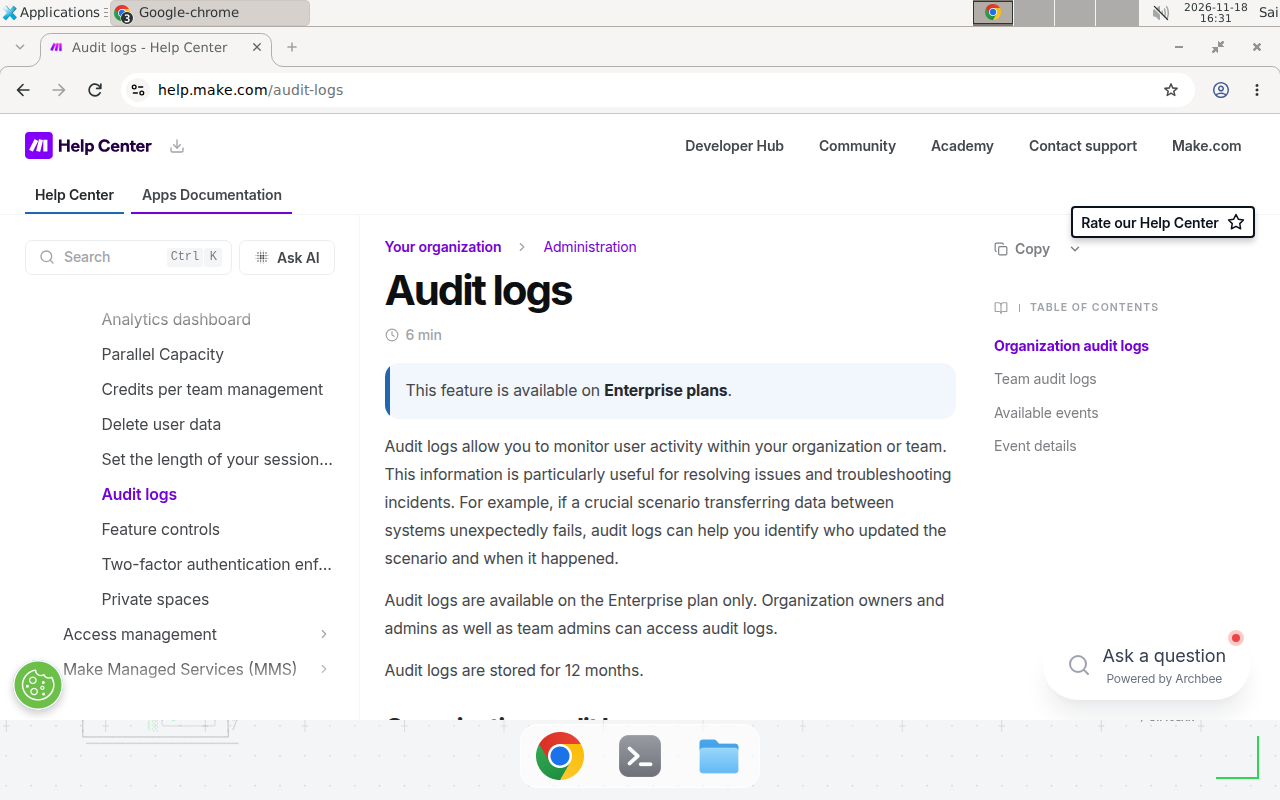
The Make Help Center audit logs page, checked on 2026-11-19: Enterprise-only access, 12-month retention, and the 17 event categories.
Copy-paste template: weekly audit review checklist
Use this checklist every Monday, or after any incident. A team admin can run the same list against the team log.
WEEKLY MAKE AUDIT REVIEW, week of [YYYY-MM-DD]
Reviewer: [name] (Example, replace with your values)
Log level: [Organization / Team name]

1. Scenarios created, updated, deleted, deactivated: [count]. Notable: [scenario, who, when]
2. Connections created, deleted, updated, reauthorized: [count]. Notable: [connection, who, when]
3. Keys created, updated, deleted: [count]. Notable: [key, who, when]
4. Identity and access, SSO enabled, updated, disabled: [count]. Notable: [change, who, when]
5. Credential usage, someone else's connection or key: [count]. Notable: [who used whose]
6. Organization member removed, role updated, private spaces: [count]. Notable: [change, who, when]
7. For each notable change: open Details, copy the record, paste it here.
8. Archive: entries older than 11 months copied to [storage location].
9. Event subscriptions: confirm the receiving endpoint stored events this week.
10. Follow-ups opened: [ticket links, or "none"]
Keep the filled checklists in one folder. After a few months, they answer “has this happened before” without re-reading the raw log.
When not to use this / Limits
Audit logs are a governance tool, not a debugging tool. Do not use them to debug scenario logic: they record that a scenario was updated, not why its data mapping is wrong, so use the scenario execution history and error handling guide for run failures instead. Do not treat them as a complete record of data changes, because data store record events skip actions done through data store modules. Do not rely on them as your only compliance evidence past 12 months, because the retention window is fixed and there is no interface export. And if your organization is not on Enterprise, do not look for the tab: the feature does not exist on your plan. The alternative is event subscriptions on Teams, or a process rule that all production changes go through one admin account.
Cost / scale math
Audit logs carry no per-event fee, but the governance around them has real arithmetic. Retention is 12 months, so a change made on 2026-11-19 leaves the log around 2027-11-19. A weekly archive routine produces 52 snapshots a year, each covering 7 days, so one missed week leaves at most a 7-day gap. A monthly routine produces 12 snapshots a year, and one missed month leaves a 30-day gap, four times worse.
On a Teams plan you get 3 event subscriptions per organization, so you must choose, for example, SIEM, incident channel, and one spare. On Enterprise the limit is unlimited. Review time scales with change volume: 10 scenario edits a week needs a 10-minute review, while 200 edits a week needs a filter-first routine, watching only the five high-risk categories from Step 5.
Troubleshooting
| Symptom | Likely cause | Command to check | Fix |
|---|---|---|---|
| No Audit Logs tab in the Org dashboard | Not on Enterprise, or role is not owner or admin | Subscription page for the plan; member list for your role | Upgrade to Enterprise, or ask an organization owner to grant the admin role |
| Event missing from the team log | The event is organization-only, such as an SSO change | Organization audit log, same event and time | Use the organization log for organization-level events |
| Data store record change has no audit entry | Record events skip actions done through scenario modules | Was the change made by a person in the interface or by a module? | For module-driven changes, check scenario execution history instead |
| Details pop-up shows less than expected | The summary carries who and when; detail payload varies by event | Details pop-up of a scenario update, the fullest payload | Copy the full details record at investigation time |
| Subscription events stop arriving | Receiving endpoint failed, or another admin changed the subscription | Subscription list for recent changes; endpoint logs for rejected deliveries | Fix the endpoint, then confirm a fresh test event arrives |
Common mistakes
Treating the audit log as a run debugger. The log says a scenario was updated at 14:32 by a named user. It does not say which module broke. Open execution history for that.
Only checking the log after an incident. The first time you open the log should not be during an outage. A weekly 10-minute review builds the baseline, so unusual changes stand out.
Assuming the team log shows everything. Organization variables, SSO changes, and 2FA enforcement never appear in team logs. A team admin investigating an access change needs an organization admin to check the organization log.
Letting the 12-month window pass without an archive. Entries do not warn you before they expire. Put the archive step in the weekly checklist, not in a calendar reminder.
Test before you rely on it
Run this checklist once, before you call the governance setup done:
- Open the organization audit log as an owner or admin and confirm it loads and lists events.
- Make a harmless change, such as renaming a test scenario, and confirm it appears in the log with your name and the right timestamp.
- Open the Details pop-up for that change and confirm you can copy the record.
- Open the team audit log as a team admin and confirm it shows the team event but not an organization-only event.
- If you use event subscriptions, trigger a test event and confirm it reaches your endpoint.
- Confirm your archive location has this week’s snapshot, and that a teammate can find it.
If any step fails, fix it now, while the stakes are low. An untested governance setup is a claim, not a control.
FAQ
Which Make plan includes audit logs?
Audit logs are available on the Enterprise plan only. Organization owners and admins, as well as team admins, can access them.
How long does Make keep audit logs?
Make stores audit logs for 12 months. After that, entries leave the interface, so export what you need first.
What is the difference between organization and team audit logs?
Organization audit logs show everything, including organization variables, SSO changes, and 2FA enforcement, and are visible only to organization owners and admins. Team audit logs show only that team’s events.
Can I export Make audit logs to a SIEM?
Make has no one-click audit log export. The supported route is event subscriptions, which push organization events to a public HTTPS endpoint you control. They are available on Teams plans (3 subscriptions per organization) and Enterprise plans (unlimited subscriptions), and the feature is in open beta as of November 2026.
Do audit logs record scenario runs?
No. Audit logs record configuration and access changes, such as who created, updated, activated, or deleted a scenario. Individual scenario executions live in each scenario’s execution history, not in the audit log.
Why is an event missing from the team audit log?
Some event categories are organization-only and never appear in team logs, including organization variables, SSO settings, and 2FA enforcement. Data store record events also only cover actions done in the Make interface or API, not actions done through data store modules inside a scenario.
Conclusion
Audit logs turn “somebody changed something” into a named person, a named change, and a timestamp. Set up the weekly review, archive before the 12-month window closes, and stream the events that matter to the tools that page you. Then ask the check question: if a production scenario breaks at 3 a.m., can the person on call find who changed it and what changed, without waking anyone else? If not, the governance is not finished yet. Next, read the Make.com MCP server tutorial and the Make to n8n migration guide.
Frequently asked questions
Which Make plan includes audit logs?
Audit logs are available on the Enterprise plan only. Organization owners and admins, as well as team admins, can access them.
How long does Make keep audit logs?
Make stores audit logs for 12 months. After that, entries leave the interface, so export what you need first.
What is the difference between organization and team audit logs?
Organization audit logs show everything, including organization variables, SSO changes, and 2FA enforcement, and are visible only to organization owners and admins. Team audit logs show only that team's events.
Can I export Make audit logs to a SIEM?
Make has no one-click audit log export. The supported route is event subscriptions, which push organization events to a public HTTPS endpoint you control. They are available on Teams plans (3 subscriptions per organization) and Enterprise plans (unlimited subscriptions), and the feature is in open beta as of November 2026.
Do audit logs record scenario runs?
No. Audit logs record configuration and access changes, such as who created, updated, activated, or deleted a scenario. Individual scenario executions live in each scenario's execution history, not in the audit log.
Why is an event missing from the team audit log?
Some event categories are organization-only and never appear in team logs, including organization variables, SSO settings, and 2FA enforcement. Data store record events also only cover actions done in the Make interface or API, not actions done through data store modules inside a scenario.