How to Use Linger: Run a Local Personal AI Agent with a Memory Wiki and Proactive Reminders
Introduction
Your AI assistant forgets everything the moment you close the chat. The quote a client asked for on Monday lives in your inbox, the decision from Wednesday’s call lives in nobody’s notes, and the cloud assistant that could connect the dots wants a subscription and a copy of your data. Linger is built for that frustration: an open-source personal agent that runs a large model on your own computer, files your mail and meetings into a wiki, and speaks up first when something needs you.
Quick answer
Install Linger’s desktop app or Docker Compose, let Model Autopilot install a local model that fits your hardware, connect Gmail, Slack, and Calendar, then let Another Me file the results into a memory wiki and remind you about real deadlines.
The hard part is not installing Linger, it is deciding what Another Me is allowed to do on your behalf, because a proactive agent that reads your inbox is only as safe as the rules you give it.
Checked on 2026-11-21 against the Linger README on GitHub and docs.heylinger.com. Interfaces change fast, so if a menu or label differs, trust the linked page.
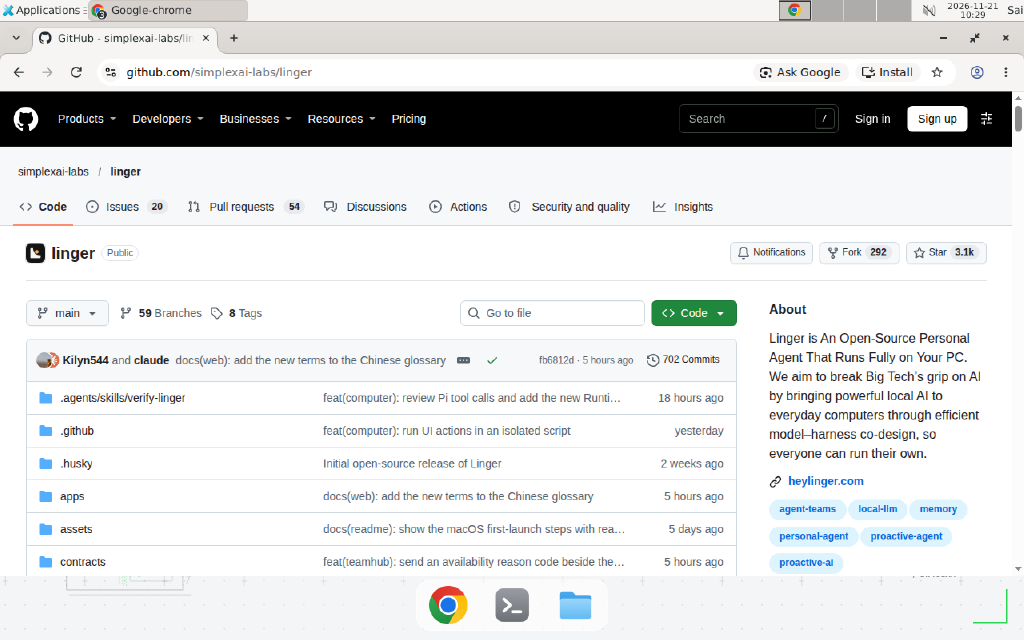
Screenshot: the Linger repository on GitHub, checked 2026-11-21.
Evidence
The project README describes Linger as “an open-source personal agent with a Claude-class brain running locally on your PC.” The rest of this article tests what sits behind that claim.
Three numbers frame the decision. First, attention: the repository was created on 2026-11-10 and reached 2,847 GitHub stars by 2026-11-21, gaining about 1,426 stars in a single day. Second, speed: the project reports its PolyStrata engine runs the 125B Qwen3.8-Flash-Next model at 45.5 tokens per second on a 12 GB RTX 3060. Third, memory: Linger reports 95% accuracy on the LoCoMo long-conversation memory benchmark. We could not verify the speed and memory figures on our own hardware; vendor docs say both come from the project’s own lab.
Two design facts matter more. Model Autopilot searches 49 language models, two inference engines, quantizations from 1-bit to 8-bit, and context windows from 64K to 256K, then recommends the smartest model that fits. And the memory system is a wiki, not a chat log: every night at 00:00, Another Me files your mail, chats, and meetings into pages every agent can search. See docs.heylinger.com and the PolyStrata repository.
Prerequisites
- A supported computer: macOS 14.0 or later on Apple silicon, 64-bit Windows, or 64-bit Linux with glibc 2.35 or newer. There is no package for Intel Macs, so use Docker Compose there.
- For the headline 125B model: a 12 GB GPU, 64 GB of RAM, and about 39 GB of free disk. Smaller models need less; Model Autopilot will tell you what fits.
- For the Docker path: Docker with Compose, and at least 5 GiB of memory for its virtual machine.
- For memory and proactive features: a Gmail or Outlook inbox, a Slack workspace, or a calendar you are willing to connect.
Step-by-step guide
Step 1: Pick the install path
The desktop app is for one person on one computer, and its Quick Install sets up a Linger server on that machine. Docker Compose is for a server several computers share, and the models and agents still run on the computer you connect afterward. The guides are Install the desktop app and Install with Docker Compose.
Step 2: Install the desktop app
Download your platform’s package from the Linger releases page: a .dmg for macOS on Apple silicon, a setup .exe or portable .zip for Windows x64, or a .tar.gz for Linux x64. Check it against the SHA256SUMS.txt file from the same release.
On macOS, the package is not yet signed, so macOS blocks the first launch. After dragging Linger to Applications, run this in Terminal, then open Linger:
xattr -dr com.apple.quarantine /Applications/Linger.app
If Terminal prints Operation not permitted, turn on Terminal in System Settings, Privacy and Security, App Management, then run it again. Once the app opens, choose Quick Install.
Step 3: Or install with Docker Compose
Clone the repository and start the stack:
git clone https://github.com/simplexai-labs/linger.git
cd linger
cp .env.example .env
docker compose up --build --detach --wait
Then create the owner account, replacing the example email and password with your own:
printf '%s\n' 'test1234' | docker compose exec -T teamhub \
  teamhub-account create-owner --email owner@linger.local --password-stdin
Open http://localhost:3000, sign in, and change the test password in Settings, Security before other people can reach the server.
Step 4: Let Model Autopilot pick and verify a model
On the computer that will run models, run the guided installer. On macOS or Linux:
./scripts/install/install.sh
On Windows, in an ordinary non-elevated PowerShell window:
powershell -ExecutionPolicy Bypass -File .\scripts\install\install.ps1
The installer checks your GPU, VRAM, RAM, and bandwidth, recommends the smartest model that fits with at least a 64K context, installs it after your approval, and connects linger-computer to your server. It counts a model as installed only after it answers a real question. Pass --help for day-two commands such as --status, --up, and --remove.
Do not hand-pick the biggest model. The README’s per-machine table lists the same model at 21.3 tokens per second on a 12 GB GPU with 32 GB of RAM, with the first token arriving after about 3 minutes, far below the 45.5 headline figure. Let Autopilot fit the model, then measure it yourself.
Step 5: Connect sources and build the memory wiki
Connect at least one source first: Gmail, Outlook, Slack, Calendar, meetings, files, and agent chats all feed the wiki. Tell one agent a fact, such as a client’s pricing or a deadline, then wait for the nightly update at 00:00, when Another Me files your mail, chats, and meetings into wiki pages. The next day, ask a different agent about the same fact. If it answers from the wiki, the loop works.
Search the wiki like a notebook, not a chat log. The README’s example search returns three ranked pages, Pricing, Acme rollout, and the Acme call, because the wiki is a graph with one page per entity.
Step 6: Teach Another Me with one real to-do
Another Me watches your inbox, calendar, and Slack, and messages you only when something needs you. Give it one real deadline, such as a client quote due Friday. The README’s example is Dana Lee asking for a quote by Friday: Another Me files it as due later, sets a check for Wednesday 09:00, and tells you on Wednesday that the revised quote is due Friday. Use a deadline you actually care about.
Every message Another Me sends is also a test. Each night, a process called Dreaming reads how those messages landed and rewrites the rules it decides by. Push back on the same kind twice, and it becomes a rule: two “tell me sooner” reactions make vendor invoices get told now, and two “no need to tell me” reactions make deliveries stay silent. Say it directly, and one Dreaming pass makes it a rule. Quiet hours run 22:00 to 08:00, so overnight messages are recorded and delivered later.
Step 7: Optional, bring your own runtime
If you already pay for Claude Code, Codex, or Pi, you can run that runtime on your GPU or on your subscription instead of Linger’s local model. Each runs as it always does, while Linger provides the memory wiki, the proactive agent, and the agent teams around it. For a related local-first setup, see our tutorial on Yogurt, the local AI meeting notes app with a read-only MCP server.
Copy-paste template: Another Me starter rules
Paste this into your own notes on day one, then edit one line at a time as Dreaming teaches you what you actually want. Keep the list short: five to eight rules beat twenty. Example values are marked, so replace them with your real clients, vendors, and hours.
# Another Me starter rules (Example — replace with your values)

## Tell now
- Client replies: when a client answers a thread I started, tell me right away.
- Meeting changes within 24 hours: if a meeting moves, tell me now.
- Vendor invoices: when an invoice arrives, tell me when it arrives, not on the due date.

## Follow up later
- Quotes due later in the week: file it, set a check two days before the deadline.
- Newsletters and notifications: record only, never message me about them.

## Stay silent
- Delivery tracking: never message me about parcels.
- Social chatter in #random: not mine, stay silent.

## Hours
- Quiet hours: 22:00 to 08:00, record only, deliver in the morning.
- After 21:00: meeting changes wait until the morning list.

## How to change a rule
- Say it directly in chat: "When a client replies, tell me right away."
- Or react the same way twice, and Dreaming will make it a rule overnight.
When not to use this / Limits
Do not use Linger as production infrastructure yet. The project is eleven days old, the macOS package is unsigned, the license is a custom one based on Apache 2.0 with additional conditions, and the headline benchmarks are the project’s own lab numbers. If you need a stable, audited agent platform today, use a hosted assistant or a mature self-hosted tool. Do not install it on a shared server and leave the default test1234 password in place, and do not connect your main inbox until you have watched it handle a low-stakes mailbox for a week. With no GPU and less than 16 GB of RAM, expect a small model and slow answers. If you only want meeting notes, our Yogurt local meeting notes tutorial covers a smaller tool for that job.
Cost / scale math
Local inference has no token fee, but it is not free. The 125B model’s 2-bit file is 39 GB, so a 500 GB laptop gives up about 8% of its disk to one model, and two models need roughly 80 GB. At a sustained 100 Mbps, 39 GB takes about 52 minutes, since 39 GB equals 312 gigabits. The README pairs a 12 GB GPU with 64 GB of RAM for the headline setup, while its tier table lists the same model family on a 12 GB GPU with 32 GB of RAM at slower speeds. The Docker server needs at least 5 GiB of memory for its virtual machine on top of the model. The only recurring cost is electricity.
Troubleshooting
| Symptom | Likely cause | Command to check | Fix |
|---|---|---|---|
| macOS refuses to open Linger on first launch | The package is not yet signed | Read the dialog when opening the app | Run the xattr command from Step 2 |
Terminal prints Operation not permitted | Terminal lacks App Management permission | Open System Settings, Privacy and Security, App Management | Turn on Terminal there and run the command again |
| Compose fails, ports busy | Another service holds the ports | Run docker compose ps and check the conflict | Re-run the installer and let it pick free ports |
| First token takes minutes | Expected on the 12 GB tier | Check RAM use | Wait, or let Autopilot install a smaller model |
| Another Me never reminds you | No source connected, quiet hours, or no nightly pass yet | Check sources and the time | Connect a source and wait for the 00:00 update |
| Sign-in fails on Docker | The owner account was never created | Check the create-owner command ran cleanly | Re-run create-owner with your own email and password |
Common mistakes
- Trusting the benchmarks as independent results. The 45.5 tokens per second and 95% LoCoMo figures are the project’s own lab measurements.
- Leaving the default password on a shared server. The Docker setup ships with
test1234. Change it in Settings, Security before anyone else can reach the server. - Connecting the inbox before setting any rules. Another Me decides what to tell you the moment it can read your mail. Write the starter rules first.
- Picking the biggest model by hand. The 125B model needs a 12 GB GPU, tens of gigabytes of RAM, and a 39 GB download. Let Autopilot fit the model first.
- Expecting agents to run inside the Compose containers. The containers run only the Linger server. Models and agents run on the computer you connect.
Test before you rely on it
Run this checklist before letting Another Me touch anything important:
- Ask a model a real question after install and confirm it answers.
- Tell one agent a fact, wait for the 00:00 update, and ask a different agent for the same fact.
- Give Another Me one real deadline and confirm it reminds you on time.
- Send it a message during quiet hours, between 22:00 and 08:00, and confirm it waits until morning.
- Change the default Docker password and confirm the old one no longer works.
- Reply “no need to tell me” twice to the same kind of message, then check the rule changed after the next Dreaming pass.
FAQ
Is Linger really free?
Linger is open source under the Linger Open Source License, based on Apache 2.0 with additional conditions. Local inference carries no token fees, because the model runs on your own machine.
What computer do I need to run Linger?
It depends on the model. The headline setup is a 125B model on a 12 GB GPU with 64 GB of RAM; a 12 GB GPU with 32 GB of RAM runs the same model family more slowly. Model Autopilot detects your hardware and recommends the smartest model that fits.
Does Linger send my data to the cloud?
The README says your data stays on your device. Connecting Gmail, Slack, or Calendar gives the local agent access to that content.
Can Linger use Claude Code or Codex instead of its own model?
Yes. The bring-your-own-runtime option runs Claude Code, Codex, or Pi on your GPU or on a subscription you already pay for. Our Claude Code MCP setup guide covers connecting external servers to Claude Code.
How new is Linger, and should I trust it with real work yet?
Very new: the repository was created on 2026-11-10 and gathered 2,847 GitHub stars by 2026-11-21. Start with non-critical tasks and verify each behavior yourself first.
Does Linger work on an Intel Mac?
There is no desktop package for Intel Macs. Use Docker Compose instead.
Conclusion
Linger is the most interesting local agent to appear in months: a 125B model on a 12 GB card, a wiki that files your work while you sleep, and an agent that speaks up before a deadline. The numbers are the project’s own, the project is eleven days old, and the license is custom, so do not hand it your main inbox on day one. Install it, let Autopilot pick a model, and give Another Me one real deadline to prove itself on.
If Another Me reminds you about a real deadline before you remembered it yourself, the loop works. If it stays silent, check the rules, the sources, and the quiet hours before blaming the model. Either way, you will know within a week whether a local personal agent earns a place on your machine. For the bigger picture, see our complete n8n guide.
Frequently asked questions
Is Linger really free?
Linger is open source under the Linger Open Source License, which is based on Apache 2.0 with additional conditions, so read the LICENSE file before using it commercially. Local inference carries no token fees, because the model runs on your own machine, and the desktop app needs no subscription for its core features.
What computer do I need to run Linger?
It depends on the model. The headline setup is a 125B model on a 12 GB GPU with 64 GB of RAM, according to the project README, while the project's per-machine table also lists a 12 GB GPU with 32 GB of RAM running the same model family more slowly. Model Autopilot detects your hardware and recommends the smartest model that fits, so let it choose instead of guessing.
Does Linger send my data to the cloud?
The README says your data stays on your device, and local inference runs on your own machine with no token fee. Connecting Gmail, Slack, or Calendar gives the local agent access to that content, and if you bring your own Claude Code or Codex runtime, that runtime follows its own cloud behavior, so check each connected service separately.
Can Linger use Claude Code or Codex instead of its own model?
Yes. The bring-your-own-runtime option runs Claude Code, Codex, or Pi on your GPU or on a subscription you already pay for, so you can keep the tools you know while Linger provides the memory wiki, the proactive agent, and the agent teams around them.
How new is Linger, and should I trust it with real work yet?
Very new: the repository was created on 2026-11-10 and gathered 2,847 GitHub stars by 2026-11-21, with 1,426 of them in a single day. Treat it as a fast-moving early project, start with non-critical tasks, keep the default passwords changed, and verify each behavior yourself before letting Another Me act on anything important.
Does Linger work on an Intel Mac?
There is no desktop package for Intel Macs. The README points Intel Mac users to Docker Compose instead, which runs the server in containers while the models and agents run on a connected computer.