How to Fix n8n AI Agent Gemini 400 Bad Request (Thought Signature)
What broke
Your n8n AI Agent chats fine with Gemini until it uses a tool. Ask it to fetch your latest email and the run dies with 400 Bad Request and an empty body, both nodes red. The same prompt works without tools and with an OpenAI model, so the failure is not your prompt, your Gmail credentials, or your API key.
The setup that breaks is specific. It was reported on 2026-11-16 on the Google AI Developers Forum: self-hosted n8n 2.47.5, an AI Agent wired to an OpenAI Chat Model node pointed at Google’s Gemini OpenAI-compatible endpoint, model gemini-3.5-flash-lite. Plain chat worked, but the request after the first tool call failed with 400 status code (no body).
Why it breaks
Gemini 3 and newer models attach a thought signature to the first function call of each step. Google’s documentation calls thought signatures “encrypted representations of the model’s internal reasoning” that “are required to maintain reasoning continuity across multi-turn interactions,” and Google’s thought-signatures documentation says the signature must travel back with the history, or the next request is rejected with a 400.
On the OpenAI-compatible endpoint the signature rides inside the tool call, under tool_calls[].extra_content.google.thought_signature. The middle layer is the problem: n8n’s OpenAI Chat Model node uses LangChain’s ChatOpenAI, which has no field to carry that signature, so it drops it when it rebuilds the history. The tool itself ran fine, but the second request, the one replaying the tool call and its result, arrives without the signature, and Gemini refuses it. That is why the error always lands one turn after a tool call.
Quick answer
Swap the OpenAI Chat Model node for n8n’s native Google Gemini Chat Model node and reconnect the AI Agent to it. The native node returns Gemini’s thought signatures with the history, so the request after a tool call stops failing.
The hard part is not finding the fix, it is believing the error message: a bare 400 with no body looks like a bad key, so most people waste an hour on credentials first.
Checked on 2026-11-20 against Google’s thought-signatures documentation and the Google AI Developers Forum thread reporting this exact failure. Interfaces change fast, so if a menu or label differs, trust the linked page.
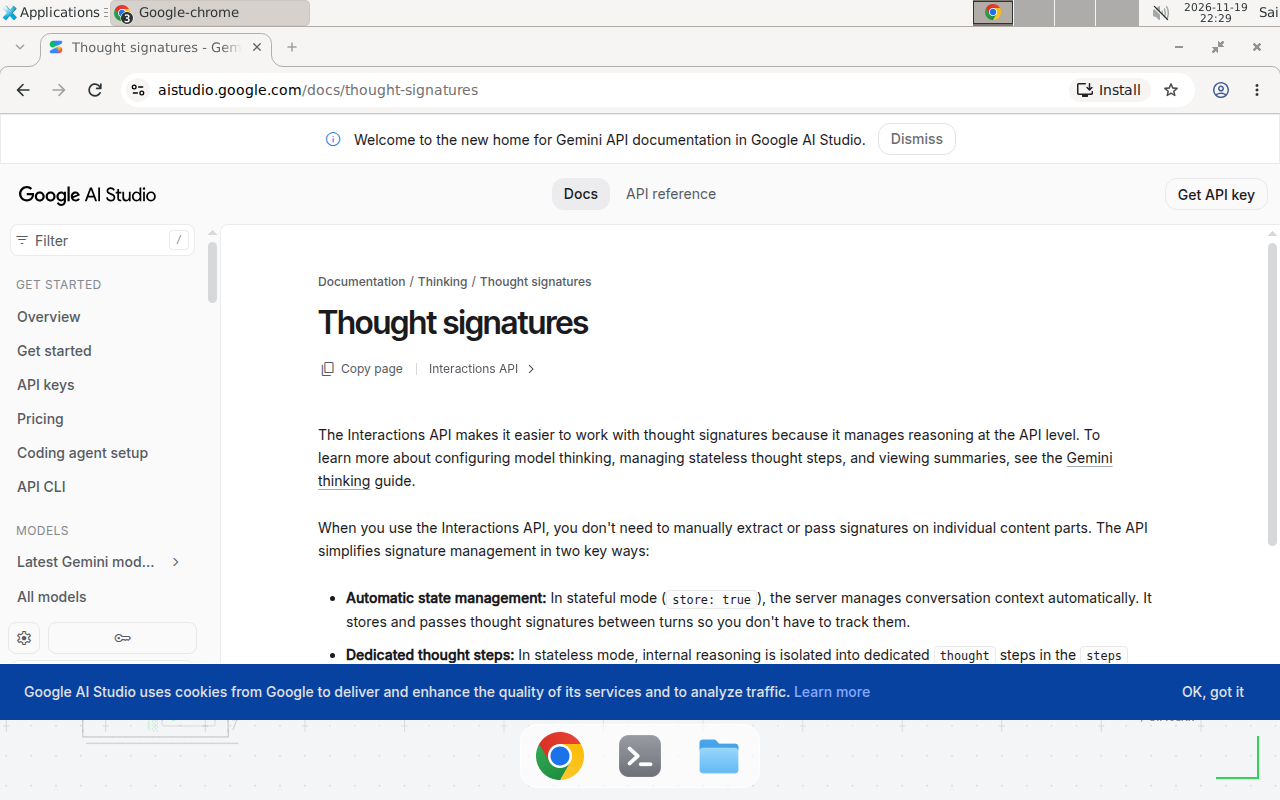
Google’s Thought signatures documentation, checked 2026-11-20.
The fix
- Add a Google Gemini Chat Model node from the nodes panel; its options are in the node documentation.
- Create its credential with a Gemini API key from Google AI Studio; no OpenAI key is needed.
- Set the Model field to the same Gemini model you were using.
- Disconnect the OpenAI Chat Model node from the AI Agent’s model input, and connect the Google Gemini Chat Model node in its place.
- Save, then run the workflow end to end with Execute workflow: testing only the model node proves nothing, because the failure needs a full tool round trip.
Nothing else changes: the AI Agent, the Gmail tool, and the prompt stay as they are.
Pitfalls
| Symptom after the swap | Likely cause | Fix |
|---|---|---|
| 400 still appears, now on the first request | You edited the model name inside the old OpenAI node instead of swapping nodes | Only the native node carries the signature |
| 404 Model not found | The model name is wrong | Check the name in AI Studio and paste it exactly |
| The agent still fails in a saved chat session | Old runs keep their broken history | Start a new chat session |
We could not verify whether gemini-3.5-flash-lite is in Google’s model catalog; vendor docs say to check the current list in AI Studio, and a reply in the n8n community thread says this name does not appear there, so verify the name first.
How to verify
Run the workflow with a prompt that forces a tool call, for example: “List the subject lines of my three latest emails.” (Example — replace with your values.) The Gmail tool runs, then the AI Agent answers with the subjects instead of failing. One clean run proves the fix: before the swap, that prompt failed on the second request every time.
Test before you rely on it:
- The agent answers a read-only Gmail request end to end.
- A second tool call in the same conversation also completes.
- The workflow still works after you restart n8n.
When this fix does not apply
If the 400 appears on the first request, before any tool call, the cause is different: a bad API key, a wrong base URL, or a model name Google does not serve.
If your organization requires all traffic through an OpenAI-compatible proxy, the native node bypasses it, so check policy first. On Gemini 2.5 or older, thought-signature rules differ: this pattern is a Gemini 3 and newer behavior.
Conclusion
A bare 400 with no body is a bad error message for a precise problem: the signature proving the model thought about this tool call never made it back. Swap in the native Gemini node, run one prompt that forces a tool call, and watch the second turn complete. If your agent fails only after it uses a tool, is the model node carrying the thought signature back? For the bigger picture, read The Complete n8n Guide, and for more Gemini inside n8n, see Generate Images with n8n and Gemini Nano Banana.
Frequently asked questions
Why does plain chat work but the agent fails as soon as it uses a tool?
A thought signature is only attached to function-call turns, so plain chat never triggers the check. The first tool call returns a signature, and the next request must send it back with the history. The OpenAI Chat Model node drops it when it rebuilds the history, so the second request fails with a bare 400 while plain chat keeps working.
Do I need an OpenAI API key for the native Google Gemini Chat Model node?
No. The native node uses a Gemini API key from Google AI Studio, and it talks directly to Google's API. You can remove the OpenAI-compatible base URL entirely once you swap nodes.
Will this fix 400 errors with tools other than Gmail?
Yes, if the error appears only after a tool call, because the signature mechanism is the same for every tool. The Gmail tool in the original report is incidental. If your 400 appears on the first request, before any tool call, the cause is different, and this swap will not help.