How to Use Claude Code Experimental Code Mode (v2.1.323+)
Introduction
You ask Claude Code to rename a helper across twelve files, update every import, and run the tests. In normal mode you watch the conversation tick through one tool call at a time: read a file, wait, edit a file, wait, run a search, wait.
Code Mode, the experimental feature Anthropic added to Claude Code on November 12, 2026, changes that rhythm. Claude writes one piece of JavaScript that makes all of those tool calls, Claude Code runs it in your session, and you see the results instead of a dozen separate turns. This tutorial shows you how to turn it on, run your first Code Mode task, and where its limits will catch you out.
Quick answer
Update Claude Code to v2.1.323 or later, set CLAUDE_CODE_EXPERIMENTAL_CODE_MODE=1, start a new claude session, confirm the prompt, and give Claude a task with many related tool calls. Code Mode works only in an interactive terminal session with a supported model.
The hard part
The hard part is not turning Code Mode on, it is trusting code you did not read, so learn to open the transcript with Ctrl+O and review what Claude actually ran.
Checked on 2026-11-16 against the official Code Mode documentation and the Claude Code changelog. Interfaces change fast, if a menu or label differs, trust the linked page.
Evidence: what Code Mode actually changes
The official documentation states the change plainly: “Code Mode changes how Claude uses its tools. Without Code Mode, Claude asks for tool calls such as Bash, Read, or Edit directly and reads each result before it decides what to do next. With Code Mode, Claude writes a piece of JavaScript that makes the tool calls, and Claude Code runs that code in your session.” That explains both the gain and the new risk: fewer round trips mean fewer chances for the model to re-read context, but the code itself becomes a thing you must audit.
Three numbers frame the feature. Code Mode arrived in v2.1.323 on November 12, 2026, and the next day’s release fixed three Code Mode bugs, including scripts ignoring a worktree entered with EnterWorktree and words typed at a permission dialog not reaching Claude. Three fixes within 24 hours means the feature is still being shaken down. The project behind it is large: the claude-code repository on GitHub had 155,758 stars as of November 15, 2026. And the limits are explicit: foreground code stops after ten minutes, background code can run for up to two hours.
An honest note: this walkthrough follows Anthropic’s official documentation, checked on 2026-11-16. We could not verify the first-run confirmation dialog in a live session, because Claude Code is not installed in our lab and no subscription is attached to it, so the prompts and banner text below are quoted from the vendor docs.
Prerequisites
- Claude Code v2.1.323 or later, the native build, on macOS, Linux, or WSL. On Windows you also need Git for Windows.
- A Claude subscription or Console account. Code Mode does not work through a gateway, Amazon Bedrock, Claude Platform on AWS, Google Cloud’s Agent Platform, or Microsoft Foundry.
- One of these models: Claude Opus 5.5, Sonnet 5.5, Haiku 5.5, or Fable 5.2.
- An interactive
claudesession in a terminal. It does not work withclaude -p, the Agent SDK, the VS Code panel, the Desktop app, or cloud sessions. - No conflicting settings: no API key helper, no agent teams, no OpenTelemetry export, no
DISABLE_TELEMETRY, and no HIPAA or zero data retention configuration at your organization.
Step-by-step guide
Step 1: Check your version
Run claude --version. If it is older than v2.1.323, run claude update. If you are on the stable channel and the update does not reach v2.1.323, wait for stable to catch up or switch to the latest channel. Do not skip this check: an older version starts without Code Mode and may show the reason it isn't open to your account yet, which looks like an account problem when it is a version problem.
Step 2: Turn Code Mode on for one session
To try Code Mode once, set the variable in your shell and start Claude Code. The setting dies with the shell session:
CLAUDE_CODE_EXPERIMENTAL_CODE_MODE=1 claude
On Windows PowerShell the equivalent is:
$env:CLAUDE_CODE_EXPERIMENTAL_CODE_MODE = "1"
claude
Step 3: Turn Code Mode on for every session
If the trial goes well, save the variable in your user settings file, ~/.claude/settings.json:
{
  "env": {
    "CLAUDE_CODE_EXPERIMENTAL_CODE_MODE": "1"
  }
}
Then start claude normally. A 0 in either place wins over a 1 in the other, so if Code Mode refuses to start, check both places for a stray 0. And Claude Code ignores this variable in a project’s settings files, so a repository you clone cannot turn Code Mode on for you.
Step 4: Confirm at the first-run prompt
Claude Code asks you to confirm before your first session. Select “Yes, turn on Code Mode”. Claude Code restarts and shows this line near the top of the session:
Code Mode (experimental) is on · this session can be resumed only with Code Mode on
If you see a different line, or no line at all, do not start working. Run claude --version, confirm the variable is 1 in your shell or user settings, and remove any 0 from those places and from any --settings file. The troubleshooting table below covers the reasons the docs list.
Step 5: Give Claude a task with many tool calls
Code Mode pays off on tasks with many related tool calls: a change that repeats across many files, a search whose results need filtering, or several independent commands that can run at the same time. In a project you know, send a prompt like the one from the official docs:
Read every Markdown file in this project and list the links that point to local files that don't exist.
That task is a good first run because it is read-only, touches many files, and the answer is easy to check by hand. Behind the scenes Claude writes JavaScript like this example from the official docs:
const files = await $`rg -l "function retryPolicy" src`.text();
const target = files.trim().split("\n")[0];
await edit(target, "maxAttempts: 3", "maxAttempts: 5");
({ edited: target, tests: $`npm test -- retryPolicy`.nothrow() });
In the conversation you see the tool calls, such as the edit’s diff, and not the code itself.
Step 6: Read the code Claude wrote
Press Ctrl+O to open the transcript viewer. Each piece of code appears there as a collapsed Code row, with a hint for how to expand it. Press Ctrl+O again to return to the conversation. Make this a habit: the code is the actual work, and the diffs are only its visible effects. To inspect it automatically, write a PreToolUse hook matching the REPL tool, which runs Claude’s code, and read the JavaScript from tool_input.code. See our Claude Code hooks guide for the pattern.
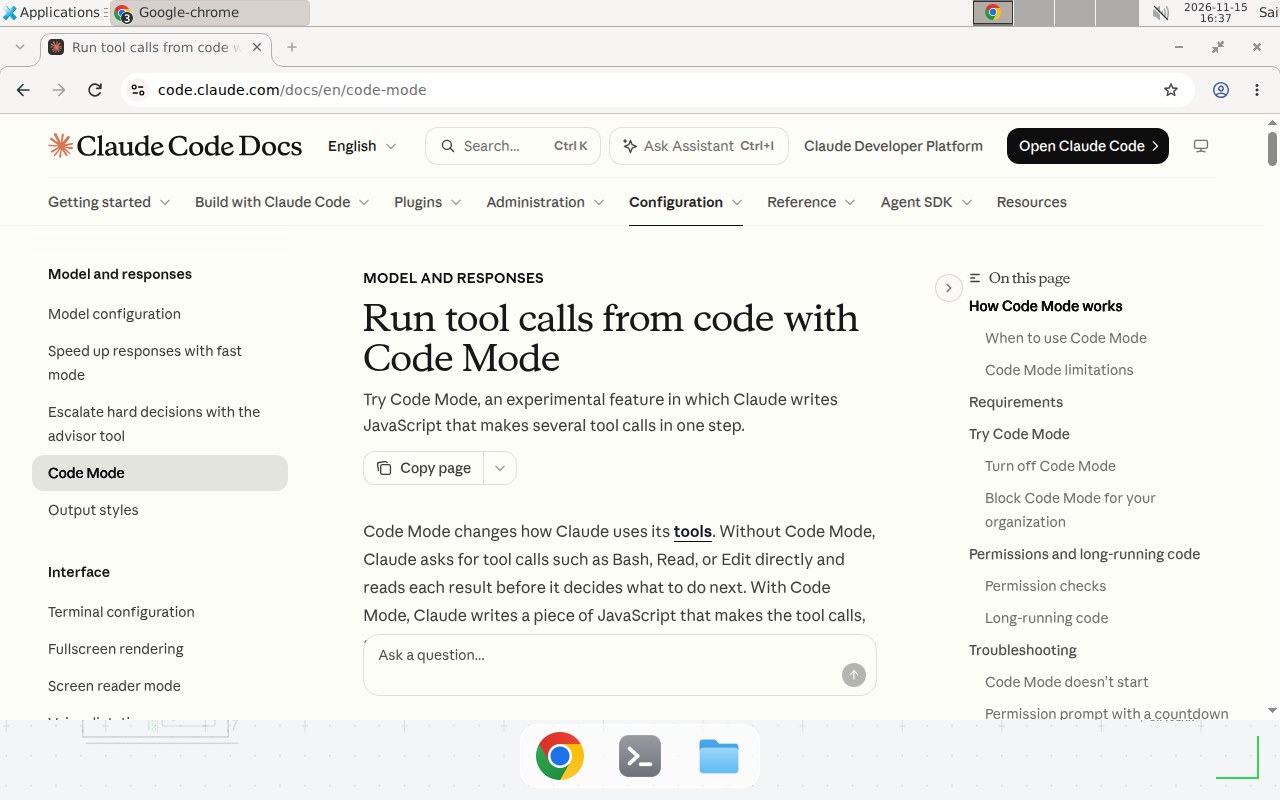
The official Code Mode documentation page, captured November 16, 2026.
Step 7: Resume a Code Mode session correctly
To resume later, keep CLAUDE_CODE_EXPERIMENTAL_CODE_MODE set to 1 when you run claude --continue or claude --resume. With Code Mode off, Claude Code refuses to resume the session, and sessions started without Code Mode resume without it even with the variable set.
Copy-paste template: a Code Mode starter kit
Copy this into a scratch file before your first Code Mode session. It is the whole setup, a first task, and a review habit in one place.
# 1. Version gate: needs 2.1.323 or later
claude --version

# 2. Trial run (setting dies with this shell session)
CLAUDE_CODE_EXPERIMENTAL_CODE_MODE=1 claude

# 3. First task: read-only, many files, easy to verify by hand
#    "Read every Markdown file in this project and list the links
#     that point to local files that don't exist."

# 4. After each turn: press Ctrl+O, expand the Code rows, read the
#    JavaScript before approving the next step.

# 5. Turn it off again (a 0 beats a 1): remove the variable from
#    the shell and ~/.claude/settings.json, or set it to "0".
For a permanent setup, use the settings.json env block from Step 3. To switch Code Mode off for a whole organization, add the variable with the value 0 to managed settings, as described in the official Code Mode documentation.
When not to use this / Limits
Do not use Code Mode for work that must run headless, in claude -p, the Agent SDK, the VS Code panel, the Desktop app, or a cloud session: it simply does not start there. Do not use it when your organization uses the HIPAA configuration or zero data retention, or when requests route through a gateway or a cloud provider. Skip it for tasks where each tool call needs its own human decision: in auto mode the classifier reviews each piece of code, not each tool call, and it cannot see values computed at run time. You also cannot use Remote Control, Claude in Chrome, or computer use in a Code Mode session, you cannot move the session to the Desktop app or turn it into a background session, and /fork cannot start a background copy. If any of those are part of your workflow, stay in normal mode.
Cost and scale math
Code Mode does not change Anthropic’s per-token prices, but it changes how many model turns a job takes, and turns are where context gets re-read. The arithmetic below is an estimate, not a measured benchmark.
Assume a multi-file task that needs 12 tool calls. In normal mode each call is its own model turn, so the model re-reads the conversation 12 times. In Code Mode the same 12 calls run inside one or two pieces of code, so the turns drop from 12 to about 2. If each turn carries roughly 8,000 tokens of context, normal mode spends about 96,000 tokens of context reads across the job, while Code Mode spends about 16,000, a difference of 80,000 tokens on one task. That is small in dollars at Sonnet 5.5 list pricing, but across a team running dozens of refactors a day it is the difference between a fast loop and a slow one. The saving only exists when the code is right the first time. Example — replace with your values.
Troubleshooting
| Symptom | Likely cause | Command to check | Fix |
|---|---|---|---|
Code Mode (experimental) isn't available, reason it isn't open to your account yet | Version older than v2.1.323, or a network problem | claude --version | Update with claude update; if the reason stays, check the network and try again later |
Same banner, it only works with the Anthropic API | Requests route through a cloud provider or gateway, or a custom base URL | Check settings for provider routing and ANTHROPIC_BASE_URL | Remove the routing settings |
Same banner, it doesn't work with an API key helper | apiKeyHelper, ANTHROPIC_AUTH_TOKEN, or custom auth headers set | Search settings for apiKeyHelper | Remove them, then sign in or set ANTHROPIC_API_KEY |
Same banner, it only works with Opus 5.5, Sonnet 5.5 and later models | An unsupported model is selected | /model in the session | Start with a supported model, for example --model opus |
Same banner, OpenTelemetry is on | Telemetry export is enabled | Check for CLAUDE_CODE_ENABLE_TELEMETRY | Unset CLAUDE_CODE_ENABLE_TELEMETRY and ENABLE_BETA_TRACING_DETAILED |
| Permission prompt with a countdown, then calls refused | New code started in auto mode while earlier code still ran, so the earlier code lost its review | Watch for the countdown prompt | Answer before it ends; if you miss it, send Claude a message to see the prompts again |
Tool call refused, error the hook did not finish | A PreToolUse hook timed out on a call from Claude’s code | Check the hook’s timeout | Raise the timeout, or set "onFailure": "continue" so calls go ahead when it fails |
Common mistakes
- Setting the variable in project settings. Claude Code ignores it there. Put it in your shell or in
~/.claude/settings.json, and remember a0anywhere beats a1. - Expecting Code Mode in the VS Code panel or with
-p. Code Mode needs an interactive terminal session. Headless runs, the SDK, the VS Code panel, and the Desktop app start without it, silently. - Trusting auto mode’s classifier to catch a bad path. The classifier reviews the code, not each tool call, and it cannot see values computed at run time. Keep your
denyandaskrules andPreToolUsehooks for calls you must control, and read the code with Ctrl+O. - Resuming with the variable off. A Code Mode session refuses to resume when the variable is off, which looks like a lost session. Keep it at
1forclaude --continueandclaude --resume. - Treating the experiment as stable. Code Mode may change or be removed in any release, and it collected three bug fixes the day after launch. Do not build a team workflow on it yet.
Test before you rely on it
Run this checklist on a throwaway project first:
- Confirm
claude --versionreports 2.1.323 or later. - Confirm the session banner reads
Code Mode (experimental) is on. - Run the docs’ read-only link-check task and verify every broken link it reports by hand.
- Press Ctrl+O, expand a Code row, and confirm you can read the JavaScript Claude ran.
- Confirm a
denyrule still blocks a forbidden call from inside Claude’s code. - Exit, then resume with
claude --continueand the variable still set to1.
FAQ
What is Claude Code Code Mode?
Code Mode is an experimental opt-in, added in Claude Code v2.1.323 on November 12, 2026, in which Claude writes JavaScript that makes its tool calls instead of asking for each one at a time.
How do I turn on Code Mode in Claude Code?
Update to Claude Code v2.1.323 or later, set CLAUDE_CODE_EXPERIMENTAL_CODE_MODE to 1 in your shell or in the env block of ~/.claude/settings.json, and start a new claude session. Confirm “Yes, turn on Code Mode” at the first-run prompt.
Which models work with Code Mode?
Claude Opus 5.5, Sonnet 5.5, Haiku 5.5, and Fable 5.2. Code Mode also needs a Claude subscription or Console account, the native build, and an interactive terminal session. It does not work through gateways, Amazon Bedrock, Google Cloud Agent Platform, or Microsoft Foundry.
Can I resume a Code Mode session later?
Yes, but only in the terminal with Code Mode still on. Keep CLAUDE_CODE_EXPERIMENTAL_CODE_MODE set to 1 for claude --continue or claude --resume. With Code Mode off, Claude Code refuses to resume the session.
Is Code Mode safe to use on a real codebase?
Your existing deny and ask rules and PreToolUse hooks still apply to every tool call the code makes, and auto mode adds a classifier review of each piece of code before it runs. Even so, Code Mode is experimental, so start on a project you know and do not point it at production data on day one.
How do I turn Code Mode off for my whole organization?
Add CLAUDE_CODE_EXPERIMENTAL_CODE_MODE with the value 0 to your managed settings. Users already in a Code Mode session stay in it until they exit or restart.
Conclusion
Code Mode is a small change with a large consequence: Claude stops asking for one tool at a time and starts handing you a script that does the whole job, and your job shifts from approving calls to reading code. That trade is worth it for multi-file refactors and filtered searches, and a bad trade for anything you cannot review or cannot undo.
Before your next session, answer this: if Claude’s script edited the wrong twelve files, would you catch it in the transcript before the tests ran? If not, practice the Ctrl+O review habit on a throwaway project first. Then read our Claude Code MCP setup guide, our Opus 4.5 in Claude Code tutorial, and the MCP server tutorial.
Frequently asked questions
What is Claude Code Code Mode?
Code Mode is an experimental opt-in, added in Claude Code v2.1.323 on November 12, 2026, in which Claude writes JavaScript that makes its tool calls instead of asking for each one at a time. Claude Code runs that code in your session, and you see the resulting tool calls, such as an edit diff, in the conversation.
How do I turn on Code Mode in Claude Code?
Update to Claude Code v2.1.323 or later, then set the CLAUDE_CODE_EXPERIMENTAL_CODE_MODE environment variable to 1 in your shell or in the env block of ~/.claude/settings.json, and start a new claude session. Confirm Yes, turn on Code Mode at the first-run prompt, and the session shows the line Code Mode (experimental) is on.
Which models work with Code Mode?
Claude Opus 5.5, Sonnet 5.5, Haiku 5.5, and Fable 5.2. Code Mode also needs a Claude subscription or Console account, the native build, and a terminal session. It does not work through gateways, Amazon Bedrock, Google Cloud, or Microsoft Foundry.
Can I resume a Code Mode session later?
Yes, but only in the terminal with Code Mode still on. Keep CLAUDE_CODE_EXPERIMENTAL_CODE_MODE set to 1 when you run claude --continue or claude --resume. With Code Mode off, Claude Code refuses to resume the session, and a session started without Code Mode resumes without it even if the variable is set.
Is Code Mode safe to use on a real codebase?
Your existing deny and ask permission rules and PreToolUse hooks still apply to every tool call the code makes, and auto mode adds a classifier review of each piece of code before it runs. Even so, Code Mode is experimental and may change or be removed in any release, so start on a project you know, keep the code reviewable with Ctrl+O, and do not point it at production data on day one.
How do I turn Code Mode off for my whole organization?
Add CLAUDE_CODE_EXPERIMENTAL_CODE_MODE with the value 0 to your managed settings. Users already in a Code Mode session stay in it until they exit or restart, and after that they start without Code Mode and cannot resume Code Mode sessions while the 0 is in place.